

Load Hub

Book the right load before another carrier does

Loads from your inbox, load boards and Cargofy partners land in one ranked search. A digital worker contacts the broker or shipper for you and brings the answer back to the load card

Live in days, not months.
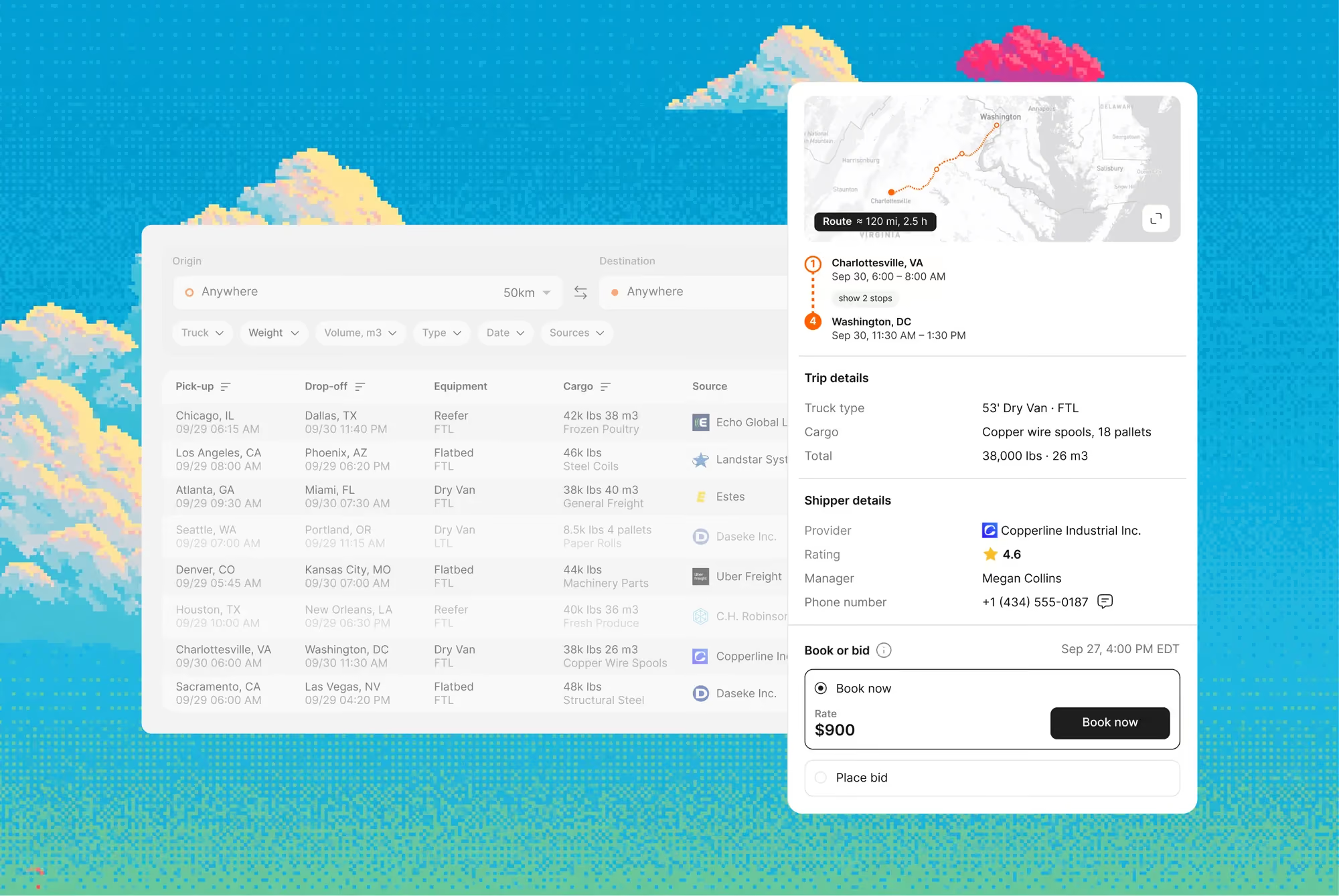
Load Hub interface

Load Hub searches every connected source for the next load near each truck's drop-off. When you pick one, the digital worker places the bid or makes the call, and your dispatcher confirms the booking

Features

The next load for every truck, found while it's still on the road

Dispatchers scan several boards, copy loads to drivers and call brokers one by one, while trucks wait or drive back empty. With Load Hub, one search covers every source and the digital worker makes the contact

Every source in one ranked search

Loads from Timocom, Trans.eu, Lardi-Trans, Teleroute, Cargopedia and your inbox appear in one table, under your own board accounts

The next load near each drop-off

Save a lane and truck parameters, for example Rotterdam to Skopje and back. Load Hub looks for loads near the drop-off and notifies you

No copy-paste to the broker

Press bid, and the digital worker writes to or calls the broker and returns the reply to the load card

Your dispatcher confirms every booking

The worker sends the bid or booking request. The final yes on every load stays with your team

Saved lane alerts

Standing searches ping you the moment matching freight posts on the lanes you want to run.

Pixel art scene of a logistics warehouse with red and yellow forklifts lined up by loading docks of a red brick building under large fluffy clouds, with a worker in red uniform holding a tablet on the right.
Why Cargofy

The next load for every truck, found while it's still on the road

Dispatchers scan several boards, copy loads to drivers and call brokers one by one, while trucks wait or drive back empty. With Load Hub, one search covers every source and the digital worker makes the contact

Every source in one ranked search

Loads from Timocom, Trans.eu, Lardi-Trans, Teleroute, Cargopedia and your inbox appear in one table, under your own board accounts

The next load near each drop-off

Save a lane and truck parameters, for example Rotterdam to Skopje and back. Load Hub looks for loads near the drop-off and notifies you

No copy-paste to the broker

Press bid, and the digital worker writes to or calls the broker and returns the reply to the load card

Your dispatcher confirms every booking

The worker sends the bid or booking request. The final yes on every load stays with your team

Impact

With digital workers, everything changes

10

board tabs replaced by a single search

10 hours

a week back from scanning boards

7

load boards connected

24/7

saved searches running

Superpowers

What the Load Hub Manager does

Parse Load from Email

The worker reads incoming emails and turns each load offer into a row in your search results

Search Load Boards

The worker runs your search profile across every connected source at once

Place Bid

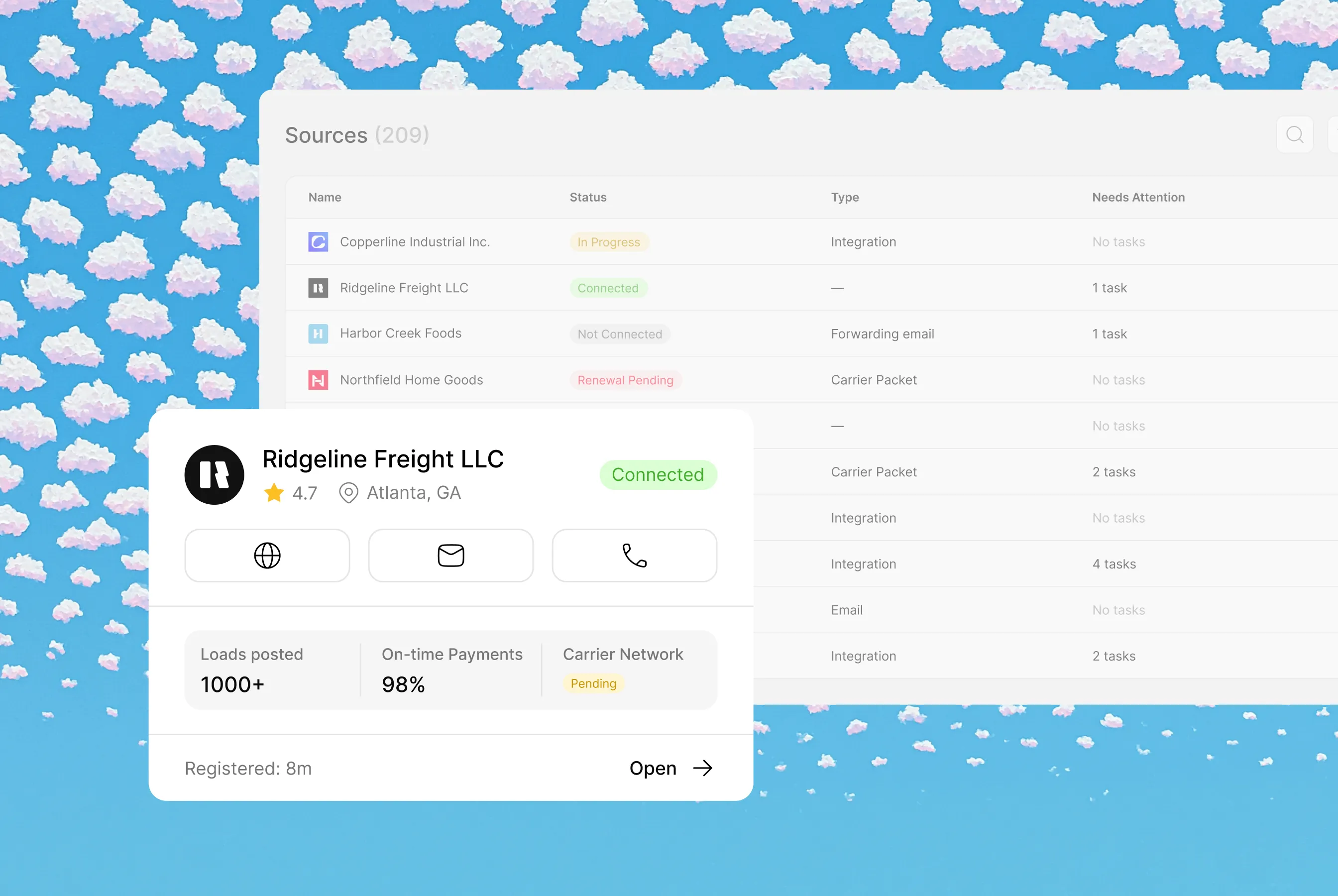
The worker places your bid or booking request with the shipper and records the answer. You confirm the booking
Book Load

The worker places your bid or booking request with the shipper and records the answer. You confirm the booking

Integrations

Plays well with your stack

Highlight

Please don't put cases here. Cases in Solutions

Architect is the AI that sets up Cargofy for you. Send it a text or voice message, and it builds the fields, forms and workflows you need, or passes the task to an AI worker

Related primitives

Each agent operates within different contexts and sets of instructions, creating unique workflows and data models

Workflows involved

Find loads at DAT
The moment a truck goes empty, this playbook sweeps DAT, scores every load against your floor, negotiates and books.
Call for a quote
A new lane request comes in; the worker calls your shortlist, negotiates each quote and lays them side by side.
Email for a quote
The worker emails your carrier shortlist, reads every reply, builds the bid table and confirms the winner — without you opening the inbox.
Data models
Load
A bookable unit of freight: the shipments, the truck, the rate and the dates, stapled together. This is the file a dispatcher trades on all day.
Rate
Pricing per lane and mode, filed with dates and small print attached. When a worker quotes, books or audits, the number comes out of this drawer.
Booking
The confirmed slot on a vessel, flight or train — cut-offs, ports and container counts in one file. When the line says "confirmed", this drawer is where it's written down.
Carrier
Who moves the freight: authority, insurance, equipment and track record in one verified file. Nobody hauls for you until this drawer says they're clean.
Quote
Offers, given and received: price, margin, deadline and what happened next. The drawer that remembers every number you ever put in front of a customer.
Lane
A transport lane with rates, carriers and a history of completed shipments. These details help plan repeat shipments under agreed terms.
Truck Availability
Information about when and where a truck is available for its next trip. It is used when planning and searching for a suitable load.
Interfaces
Load Search Results
Load search results from connected sources in one list. The dispatcher compares offers and selects a load to work on.
Load Card
A card for a load found in Load Hub. The dispatcher reviews the offer and the broker's or shipper's reply before confirming the booking.
Load Searches List
A list of load searches created for your team. It helps you review the defined lanes and parameters and open the relevant search results.
FAQ

Common Questions

Everything you need to know about deploying AI Digital Workers into freight operations — from how they work to how fast you can go live.‍

What is Load Hub?

Load Hub is a load search for carriers that pulls loads from email, connected load boards and Cargofy partners into one table. A digital worker then bids, emails or calls about a load for you, so dispatchers stop switching between boards

Which load boards does Load Hub connect to?

Load Hub connects to Cargopedia, Timocom and Teleroute in Europe, Lardi-Trans and Trans.eu in Ukraine and the region, and Direct Freight and Sylectus in North America. Loads appear under your own account on each board, so you need an active account there

Does Load Hub book loads automatically?

No. The digital worker sends your bid or booking request and brings back the shipper's answer. The carrier confirms every booking

Is Load Hub free for owner-operators?

Yes. Owner-operators with one truck use Load Hub for free and work with the digital worker in a messenger

Can I start without a demo?

Yes. Carriers sign up on their own, connect their mailbox and start searching for loads

Agent iconAgent iconAgent iconAgent icon

Ready to put a Digital Worker on the job?

Live in days, not months — connected to your TMS, load boards, and the 50,000-company Cargofy Network from day one.