

Tracking

See the delay before your customer does

Tracking brings location and stop statuses from the driver's Cargofy Go app and the carrier's connected telematics into the shipment. Your team warns customers early, and check calls come off the daily to-do list

Live in days, not months.
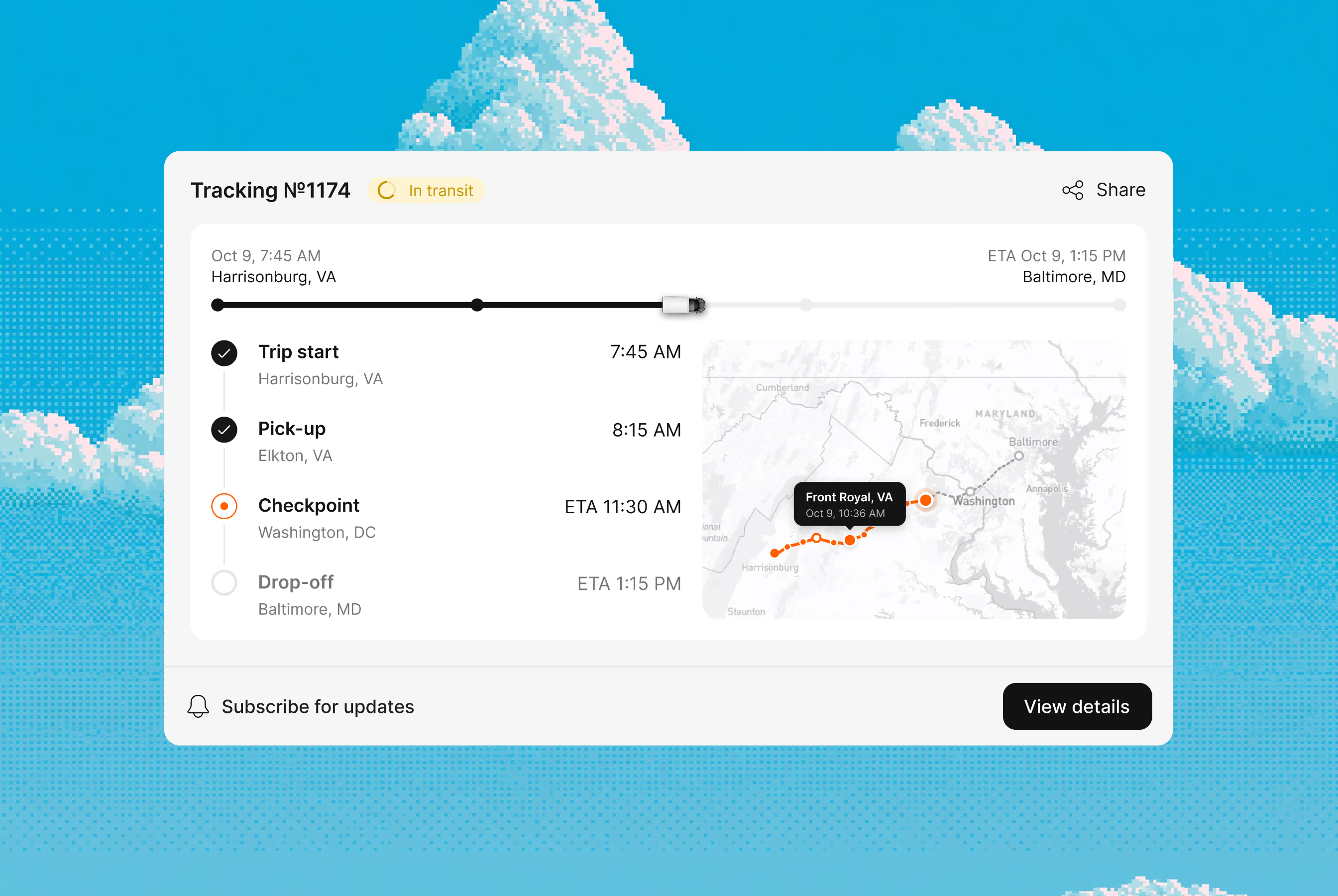
Tracking interface

Tracking shows where each load is and what happened at every stop, inside the same shipment you tendered. Location comes from the driver's app or the carrier's telematics, so your managers stop chasing drivers by phone and step in when a trip falls behind

Features

Catch a delay while there's still time to warn the customer

Managers call drivers and dispatchers several times per trip and type statuses in by hand. They learn about a delay after it happens, when the customer is already waiting and the penalty is on the way

Location lives inside the shipment

Tracking runs within the tender process. Carrier, rate, documents and the truck's position sit in one record, so nobody switches between tabs to answer "where is it"

Statuses come from the stop itself

In Cargofy Go, the driver marks arrival, loading and unloading and photographs the documents. You see the status the moment it's marked

The delay reaches you first

When a trip falls behind schedule, Tracking alerts the manager while there's still time to warn the customer

Use the telematics your carriers already have

If a carrier runs telematics or a visibility platform, Tracking takes location straight from it. Drivers without one share their location through the Cargofy Go app
Pixel art scene of a logistics warehouse with red and yellow forklifts lined up by loading docks of a red brick building under large fluffy clouds, with a worker in red uniform holding a tablet on the right.
Why Cargofy

Catch a delay while there's still time to warn the customer

Managers call drivers and dispatchers several times per trip and type statuses in by hand. They learn about a delay after it happens, when the customer is already waiting and the penalty is on the way

Location lives inside the shipment

Tracking runs within the tender process. Carrier, rate, documents and the truck's position sit in one record, so nobody switches between tabs to answer "where is it"

Statuses come from the stop itself

In Cargofy Go, the driver marks arrival, loading and unloading and photographs the documents. You see the status the moment it's marked

The delay reaches you first

When a trip falls behind schedule, Tracking alerts the manager while there's still time to warn the customer

Use the telematics your carriers already have

If a carrier runs telematics or a visibility platform, Tracking takes location straight from it. Drivers without one share their location through the Cargofy Go app

Impact

With digital workers, everything changes

15 hours

a week back from check calls

97%

of check calls replaced by app updates on Cargofy Go

100%

of stop statuses logged in the shipment

Superpowers

Tracking Manager and what it does

Call Driver for Location

The digital worker calls the driver, records location and ETA, and updates the trip

Message Driver for Location

It asks the driver for location over WhatsApp, Viber or Telegram and writes the answer into the trip
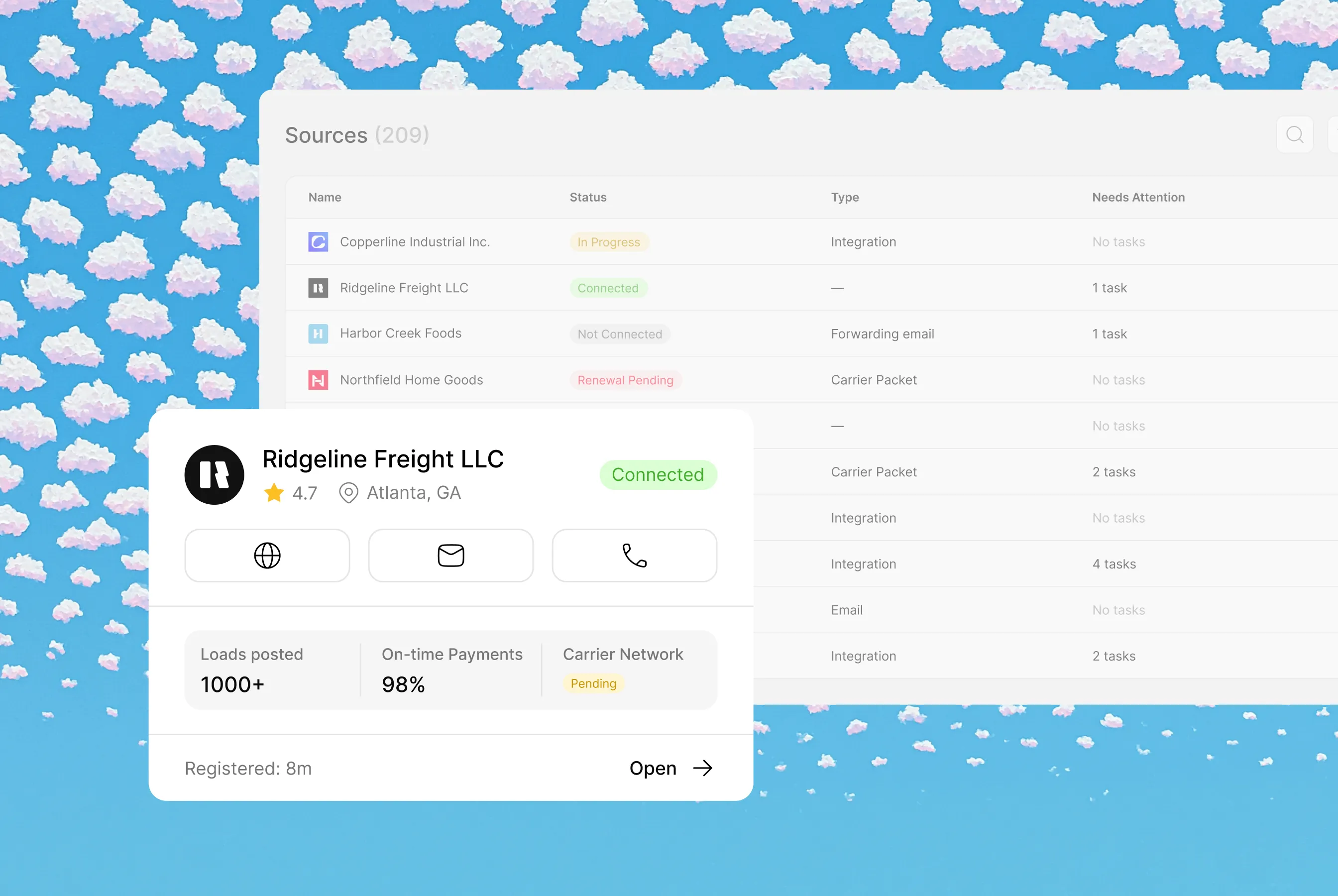
Integrations

Plays well with your stack

Highlight

Please don't put cases here. Cases in Solutions

Architect is the AI that sets up Cargofy for you. Send it a text or voice message, and it builds the fields, forms and workflows you need, or passes the task to an AI worker

Related primitives

Each agent works with its own context and instructions, building workflows and data models specific to your shipments

Workflows involved

Start tracking at award
Tracking switches on the moment a carrier and driver are assigned
Telematics location feed
Position comes straight from the carrier's telematics or visibility platform
Driver check-in by message
The digital worker asks the driver for location and ETA in a messenger
Driver check-in by call
The digital worker calls the driver and updates the shipment
Stop status from the app
The driver marks arrival, loading and unloading in Cargofy Go
Delay alert
The manager hears about a late trip before it becomes a problem
Tracking Process
The load is assigned to a carrier and driver. Location comes from Cargofy Go or connected telematics, and statuses and history are saved on the trip
Data models
Tracking (Locations)
The trip's positions, stop statuses and history
Shipment
The end-to-end file on goods moving from origin to destination — status, stops, paperwork and position in one folder. Every worker can read it; the right ones keep it current.
Steps
Each stop with its status, time and documents
Tracking Event
An event during transport, such as arrival, loading or unloading. It records trip progress in the tracking history.
Load
A bookable unit of freight: the shipments, the truck, the rate and the dates, stapled together. This is the file a dispatcher trades on all day.
Waypoint
A route point where a stop or activity is planned during transport. It connects the location to the relevant shipment and its progress.
Driver
The person behind the wheel: license, hours, certifications and contact details, filed properly. When a dock asks "who's coming?", this is the answer.
Truck
A record of a truck involved in a shipment. It links the vehicle to tracking data for the relevant trip.
Carrier
Who moves the freight: authority, insurance, equipment and track record in one verified file. Nobody hauls for you until this drawer says they're clean.
Interfaces
Transport on Route
A screen showing transport currently on a route. It helps the team review the current position and shipment status.
Tracking Steps List
A list of shipment tracking steps. It shows process progress so the team can review the relevant step.
Tracking Step Card
A card for a shipment tracking step. It helps the team review the status of that step and its related information.
FAQ

Common Questions

Everything you need to know about deploying AI Digital Workers into freight operations — from how they work to how fast you can go live.‍

What is freight tracking software?

Freight tracking software shows where a load is and what has happened at each stop. Cargofy Tracking collects location from the driver's Cargofy Go app or the carrier's connected telematics and shows it inside the shipment, with the full status history saved

How can I track a truck without calling the driver?

Track it through the driver's app or the carrier's telematics. With Cargofy Tracking, the driver marks each stop in Cargofy Go and location updates during the trip, so your team sees progress without check calls

Does the driver need to install an app?

Only if the carrier has no connected telematics. Cargofy Go is free on the App Store and Google Play, and drivers sign in with their phone number, without a password

Is the driver's location tracked all the time?

No. Cargofy Go shares location only during an assigned trip and switches tracking off outside of it

Is Cargofy Go an ELD?

No. Cargofy Go handles trip tasks, stop statuses and location. It doesn't record hours of service

Agent iconAgent iconAgent iconAgent icon

Ready to put a Digital Worker on the job?

Live in days, not months — connected to your TMS, load boards, and the 50,000-company Cargofy Network from day one.