

Every trip planned there and back
Each trip holds one leg with its truck, trailer, driver and stops, linked to the load it carries. A digital worker assigns the unit and builds the return leg, and your dispatcher confirms the plan
Live in days, not months.
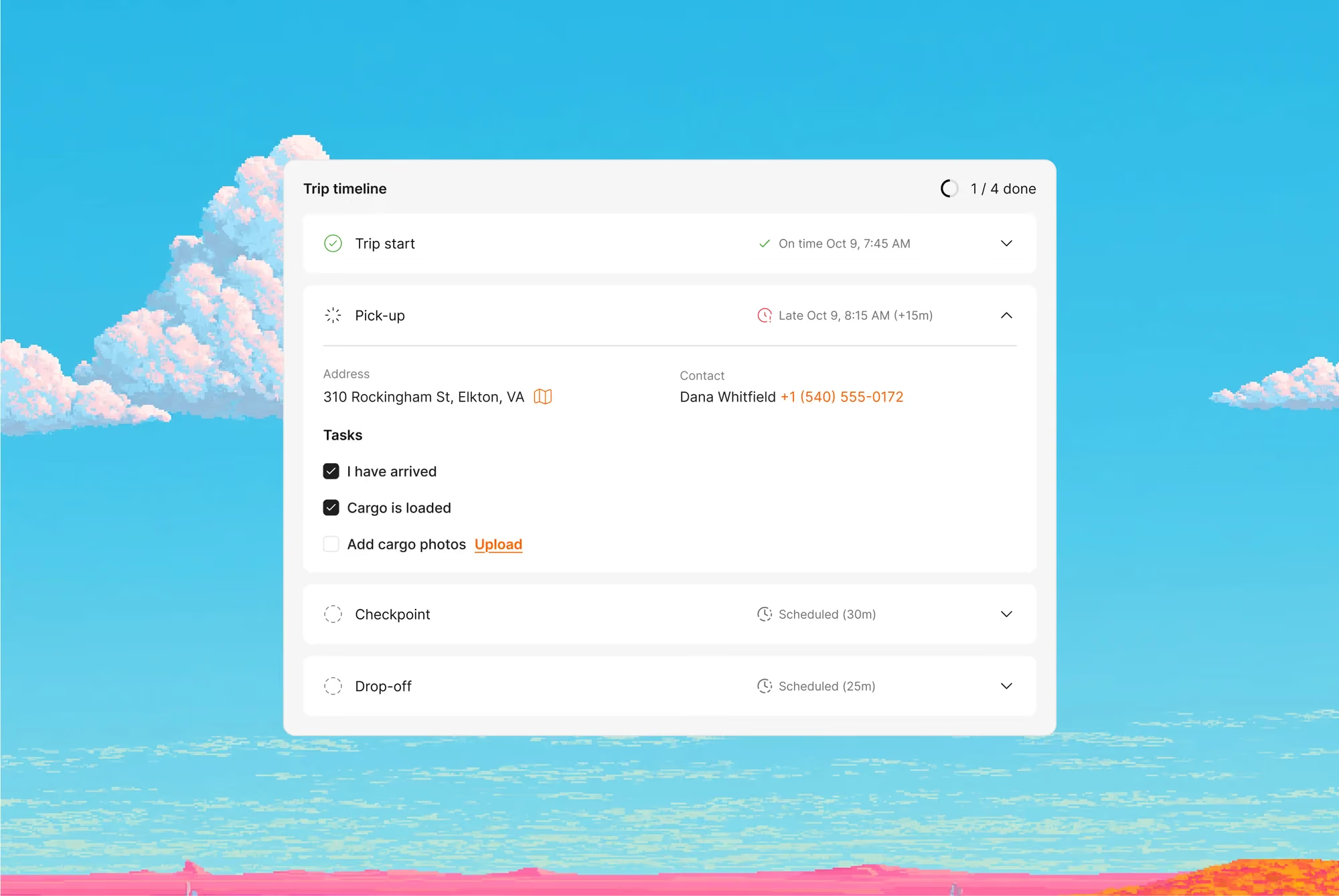
Trips turns each load into a leg your fleet drives, with the truck, driver and stops in one card. The driver gets the trip in Cargofy Go, and dispatchers follow every trip from assignment to delivery
Trucks that come back loaded
Dispatchers assign trucks in a spreadsheet and look for a return load only after unloading. With Trips, each leg is assigned in one card, sent to the driver's phone and planned as a round trip
Truck and driver in one step
Pick the truck, trailer and driver from Fleet, and the trip stays tied to that unit
The return leg planned with the first
The worker joins the outbound leg and a load for the way back into one round trip
The trip lands on the driver's phone
Once assigned, the trip appears in Cargofy Go with its stops and tasks, and the driver's stop statuses come back to the trip card
Every leg tied to its load
The worker links each trip to the load it carries, so the shipper's stops and the truck's route stay in one record
With digital workers, everything changes
of trip data, truck, driver and stops, in the trip card
to send a route to the driver from the trip card
What the Trips Manager does
Assign Truck & Driver
The worker picks a truck and driver from Fleet for the trip, and your dispatcher confirms the assignment
Build Round Trip
The worker joins the outbound trip and a return load into one round trip
Link Trip to Load
The worker links the trip to the load it carries, with the load's stops
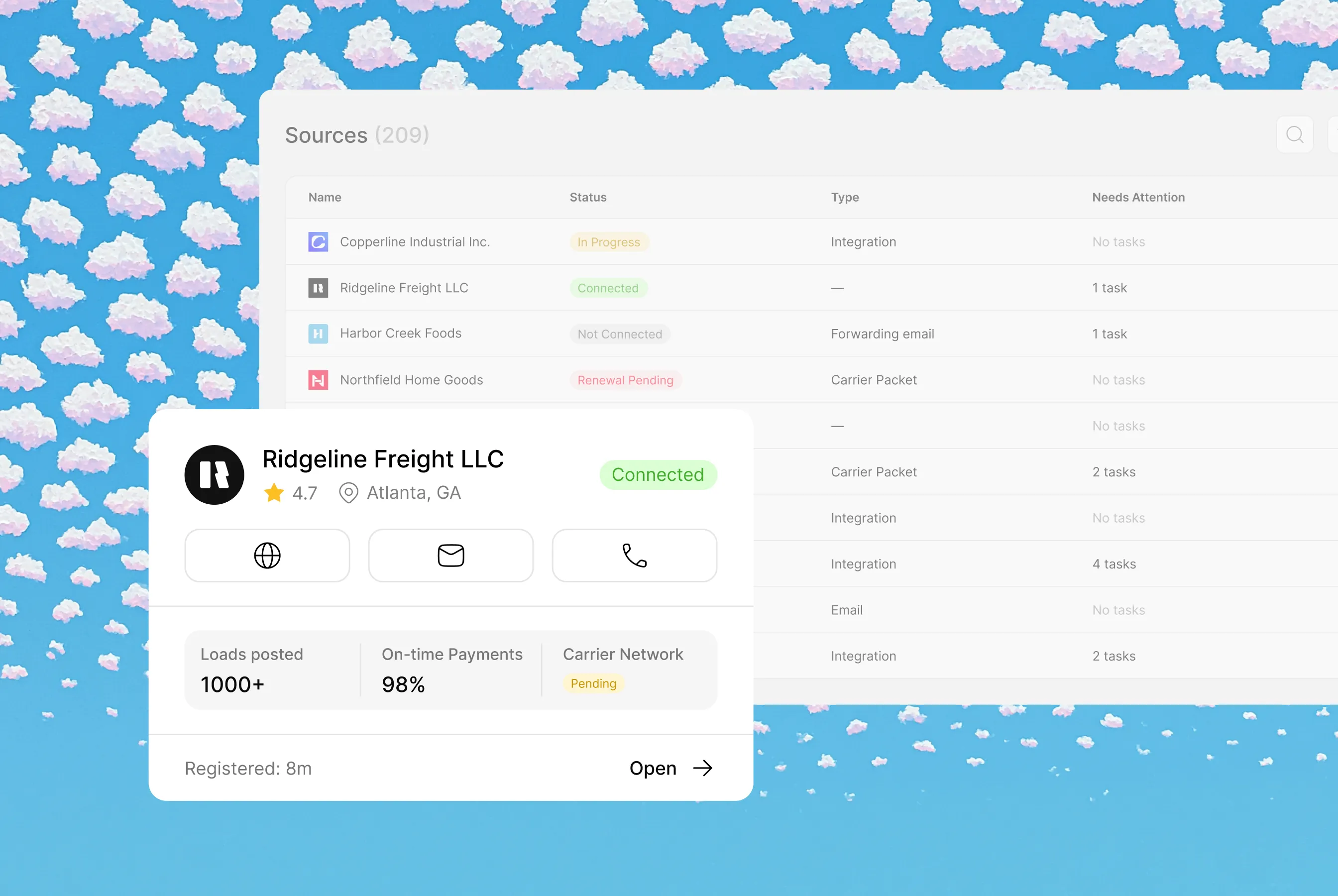
Each agent operates within different contexts and sets of instructions, creating unique workflows and data models
Workflows involved
Common Questions
Everything you need to know about deploying AI Digital Workers into freight operations — from how they work to how fast you can go live.
Trip management assigns trucks and drivers to each leg of a route and follows the trip from loading to delivery. Cargofy Trips keeps each leg in one card with its truck, trailer, driver, stops and linked load, and sends it to the driver's Cargofy Go app
A shipment is what the customer ordered: cargo moving from origin to destination. A trip is one leg your truck drives. One shipment can take several trips
In Cargofy Go. Once a dispatcher assigns the driver, the trip appears in the app with its stops and tasks, and the driver marks each stop from there
Planner shows every truck's week and runs load searches for open days. Trips holds each leg itself: who drives it, which load it carries and where it stops


Ready to put a Digital Worker on the job?
Live in days, not months — connected to your TMS, load boards, and the 50,000-company Cargofy Network from day one.