

Carrier Onboarding: How To Build a Carrier Packet That Gets Signed


A carrier that agrees to your rate still has to get through your onboarding before it can haul the load. And if your carrier packet asks them to print and scan a contract and retype company details the FMCSA already has on file, many of them stop halfway and take a load from a broker who made setup easier. You lose the truck, and your team spends days chasing paperwork for a carrier who’s already gone.
The packets that get signed fast are short enough to finish on a phone and come with a contract the carrier can read in one sitting. Let’s take a look at what a carrier packet should include and how to build one that carriers sign the same day.
What Is a Carrier Packet?
A carrier packet is the set of documents and company data a freight broker or shipper collects from a motor carrier before giving it a load. The operating authority and insurance in it show the carrier can legally haul your freight, and the signed contract shows it has agreed to your terms. You’ll also see it called a carrier setup packet, a carrier onboarding packet, or a carrier package, but all of these ultimately mean the same thing.
The packet is the first step of the broader carrier onboarding process. Brokers use it to check a carrier before the first load, and shippers with their own carrier networks use the same file to add carriers directly. It’s also the place where your carrier vetting gets written down, which carries even more weight stepping into 2027 than it did just a few years ago.
What Goes Into a Carrier Onboarding Packet
What is included in a carrier packet barely changes from one broker to the next. The real difference between a good carrier onboarding packet and a weak one is how carefully each item gets checked:
| Item | What it proves | What to check |
|---|---|---|
| Broker-carrier agreement | The carrier accepts your rates, payment terms, and liability rules | Signed by someone with the authority to bind the company |
| Operating authority (USDOT and MC number) | The carrier can legally haul for hire across state lines | Authority is active in FMCSA records, not only on the PDF the carrier sent |
| Certificate of insurance (COI) | Auto liability and cargo coverage are in force | At least $750,000 auto liability, your cargo limit, the VINs listed, and the agent’s contact so you can confirm with the issuer |
| W-9 | Who you pay and report to the IRS | Legal name and TIN match the operating authority |
| Notice of Assignment (NOA) | Payments go to a factoring company | A letter signed by the carrier and the factor, so you don’t pay the wrong party |
| Carrier profile | How to work with the carrier day to day | Equipment, lanes, dispatch and after-hours contacts, payment details, and quick-pay choice |
| Safety record | How the carrier operates on the road | Safety rating (Satisfactory, Conditional, Unsatisfactory or Unrated) plus inspection and crash history |
Two important details to keep in mind as a broker.
FMCSA sets the $750,000 liability minimum for general freight but requires no cargo insurance at all (only household goods carriers need $5,000), so your cargo limit exists only if your agreement sets it.
And keep collecting both the USDOT and MC numbers for now. FMCSA has proposed making the USDOT number the only identifier, but its 2026 FAQ says the change is still under consideration and won’t come with the first release of its new registration system.
Anything else you need to know about a carrier belongs in a few custom questions inside the packet itself.
Why the Packet Is Now Your Vetting Record
In May 2026, the Supreme Court ruled 9-0 in Montgomery v. Caribe Transport II that federal law doesn’t protect brokers from negligent-hiring claims over the carriers they choose. In short, if a carrier you booked causes a crash, the case turns on what you actually checked and vetted before you gave it the load.
Your carrier packet and approval log are how you prove it, as they show which documents you collected, which checks you ran and who approved the carrier on what date. That record only holds up if every carrier goes through the same packet and the same checks, so carrier compliance can’t depend on which rep handled the onboarding or how urgent the load was.
Why Carriers Don’t Sign Your Broker Carrier Packet
Most carriers who abandon a broker carrier packet halfway would have passed your checks. They give up on the form itself, and small fleets and owner-operators feel this the most because the person filling it in is usually also dispatching or driving.
Here’s where packets usually stall:
- It asks for what FMCSA already shows: Legal name, address, authority dates, and fleet size are all public, yet the form makes the carrier type them in again.
- It needs a printer: The carrier has to download the PDF, print the contract, sign it, scan it and email it back before the load is gone.
- It needs an account first: A portal that asks for a login and password before showing a single question loses carriers on the very first screen.
- The contract is hard to read: Payment terms buried on page 7, broad indemnity, and back-solicitation or double-brokering penalties with no clear definition.
- Nobody follows up: A packet left half done on Tuesday is usually forgotten by Thursday.
For the carrier, working out how to fill out a carrier packet is a job they repeat for every new broker, and a long packet competes with every shorter one they received that same week.
How To Build a Carrier Setup Packet That Gets Signed
A carrier setup packet gets finished more often when the carrier can fill it in and sign it on a phone, with no printer or computer needed. The seven steps below work for a new carrier setup packet and for fixing the one you already send.
- Cut it down to what decides approval: If a field wouldn’t change whether you approve the carrier, drop it or ask for it after the first load.
- Look up public data and ask only for what you can’t: Pull the legal name, address, authority status, insurance on file, and safety history from FMCSA by USDOT number, then prefill the form so the carrier only confirms it and adds the rest.
- Send one link that opens on a phone: Don’t ask for an account or a printer, so the carrier can finish the packet right there and then.
- Generate the contract from the carrier’s answers: Company name, MC number, and payment details should flow into the agreement automatically. Put payment terms and quick-pay options near the top, define double brokering in one plain sentence, and state your cargo insurance limit.
- Verify the person, not just the company: Thieves can pose as legitimate carriers to steal loads, and CargoNet logged over 150 fictitious pickups in just Q2 of 2026, an estimated $304.6 million in cargo theft losses. Match the signer’s email and phone to the contacts in FMCSA records, and call the number on file rather than the one in the email signature.
- Approve within a day: When approval runs through email and PDFs, how long carrier onboarding takes is counted in days, which gives the carrier plenty of time to book with another broker. Tell the carrier when they’re live, and send the first tender while your packet is still fresh in their mind.
- Track expiry dates after approval: Carrier monitoring catches a lapsed COI or revoked authority before that carrier gets your next tender.
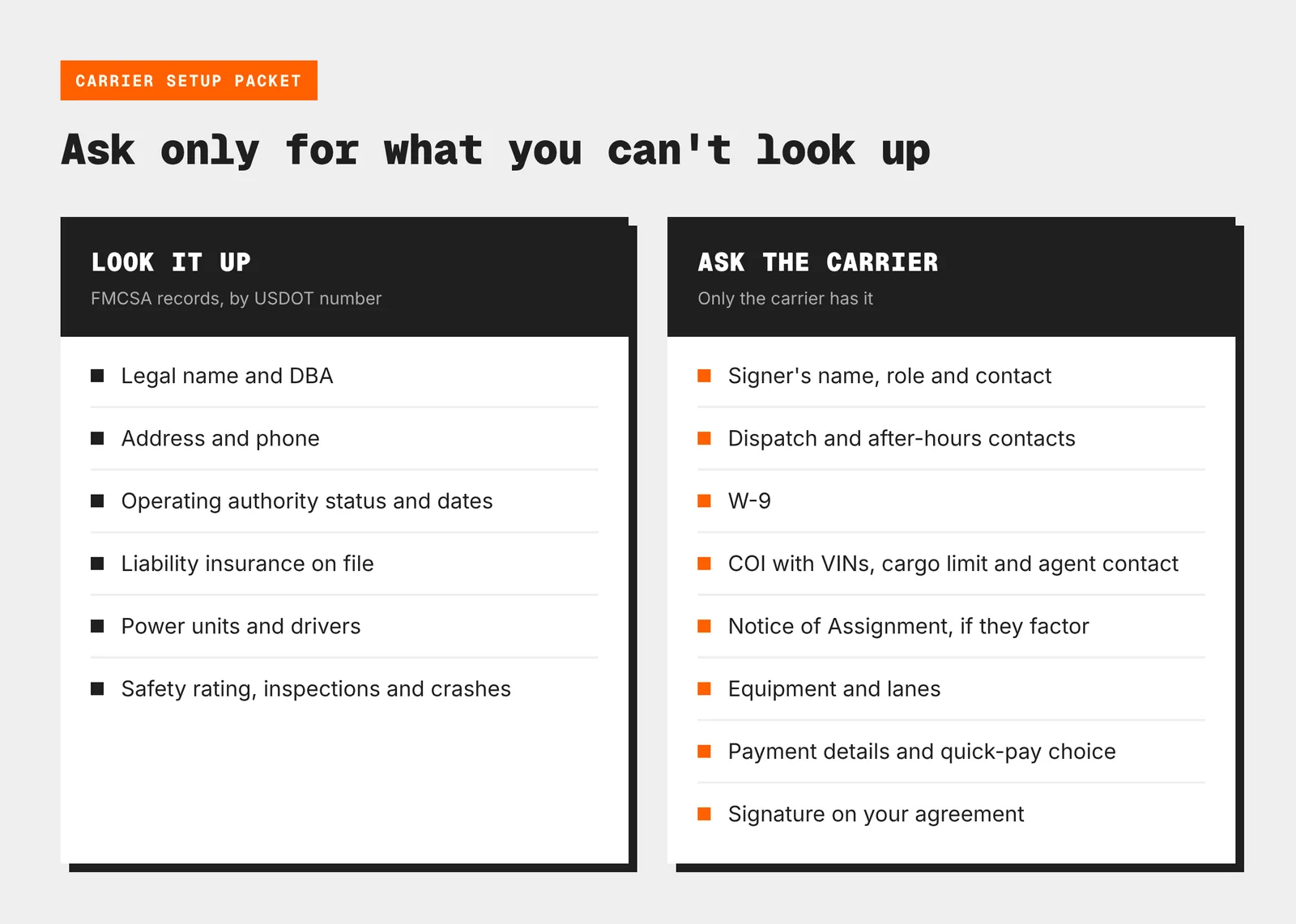
If you want a carrier packet example to benchmark against, start with your own and time how long it takes to complete on a phone. A good rule of thumb is that anything a carrier can’t finish in one sitting is too long.
Running Carrier Packets in Cargofy Carrier Network
Cargofy’s Carrier Network turns the carrier packet into a single link for freight brokers and shippers. You set it up once with the company details to collect, your own questions, and your contract template, then send each carrier a unique link by email, text, or messenger.
The carrier fills in company details, uploads documents, and answers your questions without having to create an account. Just like that, the contract is generated from those answers, both sides sign it through a connected e-signature service, and once you approve, the carrier joins your network and starts receiving your tenders.
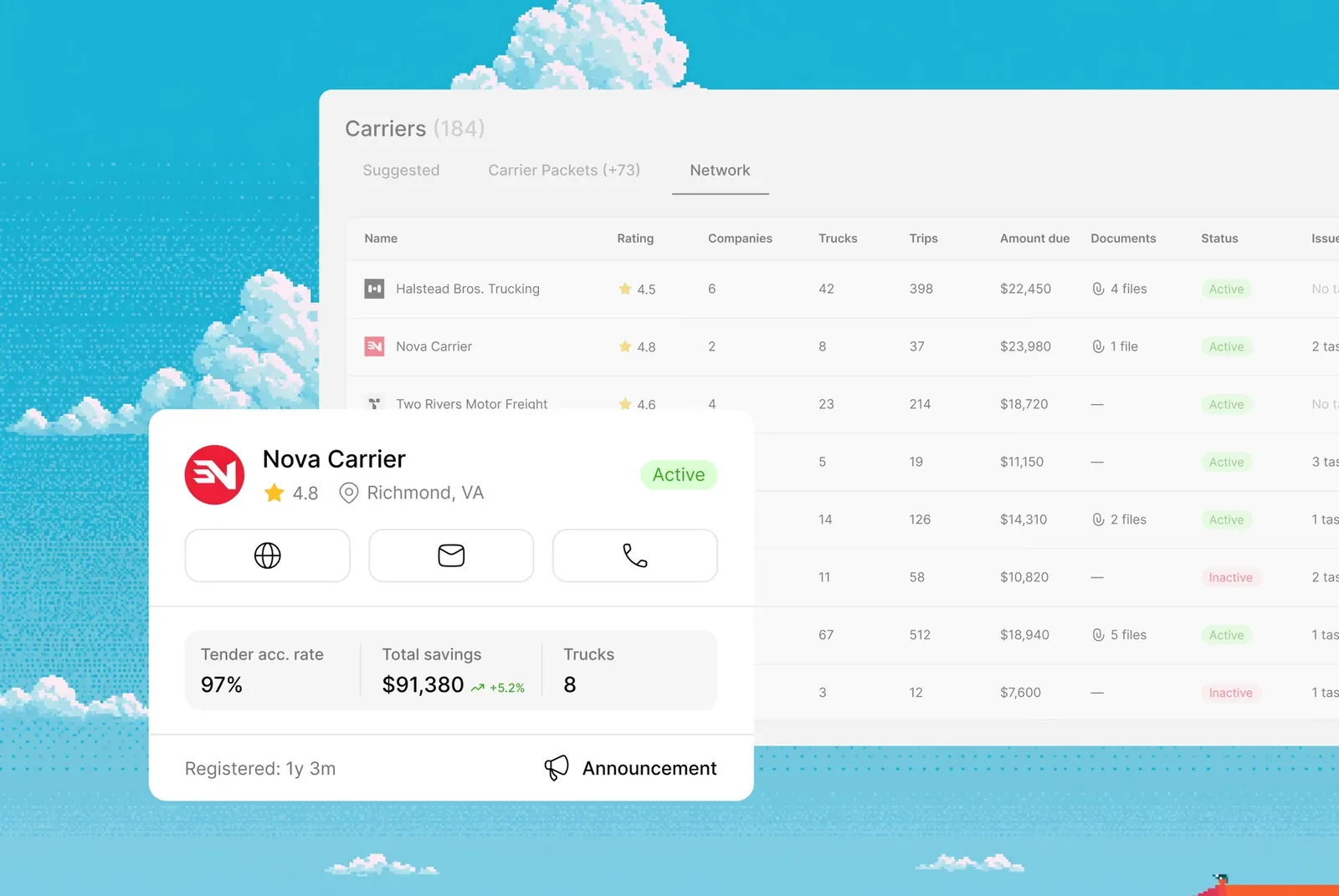
Our own figures put the carrier’s side of onboarding at under just 15 minutes, with 24 hours from link to approved carrier. License, insurance, and company data are checked and approved for every carrier before they can bid, and documents are tracked by expiry date, so lapsed insurance shows up before you book that carrier again.
If you keep your carrier list on a spreadsheet, you can simply import the Excel file and each carrier will get a link to complete their packet right away. Approval stays with your team, because Cargofy collects the data and documents while you decide which carriers make it into your network.
Collect carrier documents, sign contracts online, and catch expiring insurance before the next load. Explore Carrier Network →
Test Your Carrier Packet Before the Next Load
Open your current carrier packet on your phone and fill it in yourself, start to finish. Every field you could have looked up, every page that needed a printer, and every clause you had to read twice is a potential reason a carrier may sign someone else’s packet first. Cut those, and send the shorter version to the next carrier you need — chances are you’ll notice a huge difference in the long run.