

Oct 18–31: Bid confirmation on calls, Architect by voice and WhatsApp in Studio
Welcome to What's New in Cargofy, our digest of platform changes for October 18–31, 2026.
In these two weeks, Digital Workers started confirming a carrier's price on the call before they save the bid, Architect learned to take voice requests, and WhatsApp Business became an integration in Studio. Below is everything we shipped, section by section.
Voice calls
Carriers confirm their price before it becomes a bid
Calls to carriers now run on a new voice and speech recognition setup. When a carrier names a price, the Digital Worker repeats the amount it heard and waits for a "yes" before it records the bid.
Before, the bid went into the tender right away, so a misheard number could end up there. Now the mistake gets caught on the call.

A second question for odd prices
The Digital Worker asks again when a price sounds suspicious and laughs off an absurd one. It calls on behalf of the shipper's company, addresses the carrier by name, reads the route the way a dispatcher would and asks only for the price. Each company chooses in the call scenario whether the worker says goodbye once or skips it.
Call recordings are back
Our telephony provider retired its old recording links, which broke saving. Recordings are saved again, and the conversation from each call now appears in Virtual Office.
Fewer broken calls
A phone number saved without the "+" no longer breaks the call. When a call drops, its workflow step now closes, so the process doesn't hang on it. You can also stop a calling run from Studio.
Digital Workers and Architect
Digital Workers build a complete tender
Architect now hands each record to the Digital Worker assigned to that desk. Before, it went to the first worker with access.
The worker fills in the whole tender. It finds the route by city name and lists the cargo with the value of each item, in the units your market uses. It never makes up a starting price: your dispatcher sets it.

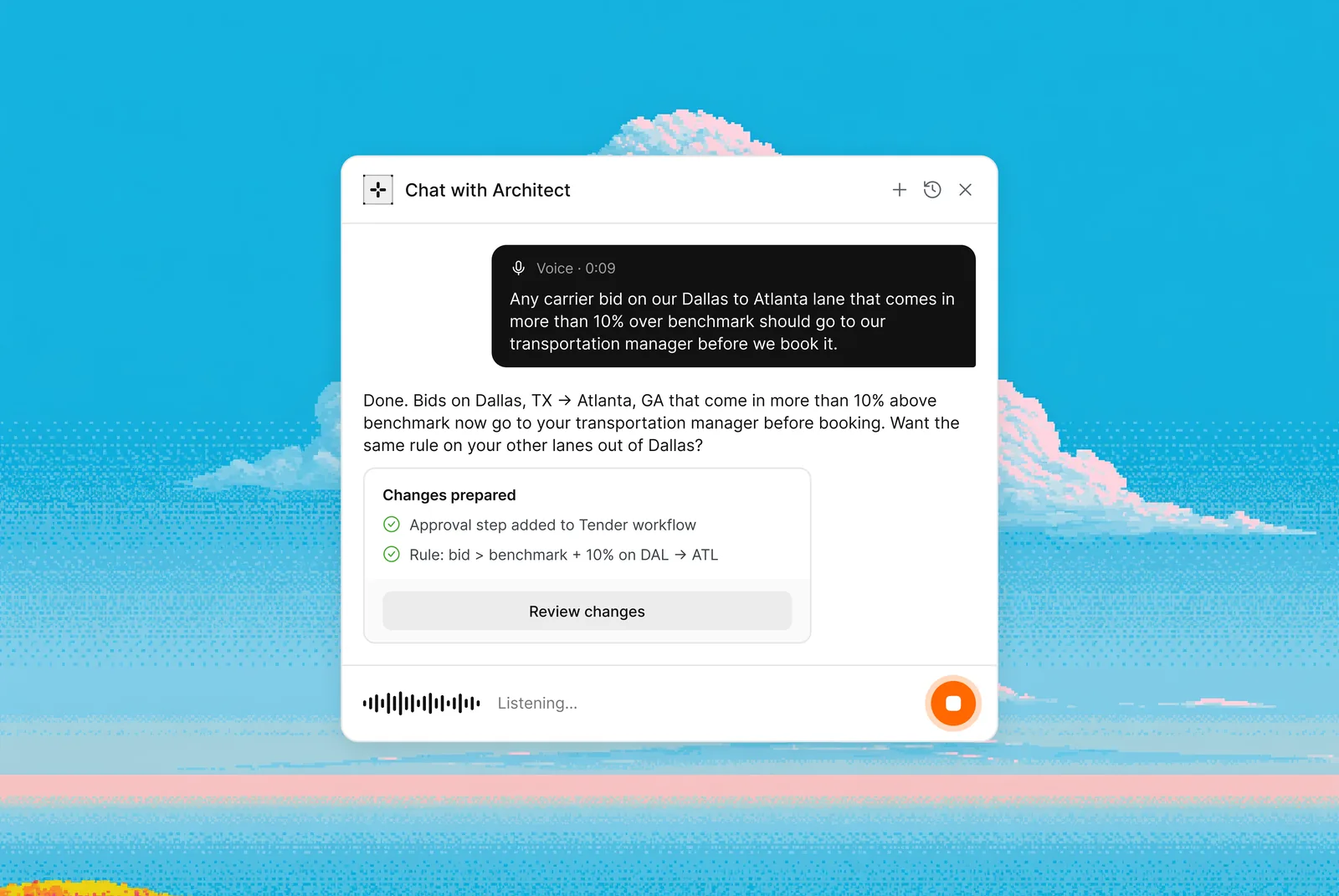
Talk to Architect by voice
You can now dictate to Architect or talk to it out loud. It answers in the language you used.
Architect also got more precise: it keeps all your fields, leaves other steps of a process alone and suggests only settings Studio can run.
One workflow can start another
An event in one workflow can now start other workflows. The protection against endless loops used to block all of these chains. Now it stops only the ones that would loop.
Approve from Inbox
Approvals that carry data can now be approved straight from Inbox. The Review button no longer closes by itself.
Integrations
Your WhatsApp Business number in Studio
WhatsApp Business Cloud is now an integration in Studio. Connect your company's own number, then use it in workflows and Digital Workers.
Get a phone number for a Digital Worker inside Studio
You can now buy a Zadarma number for a Digital Worker without leaving Studio. Account setup, identity check and the number itself happen in one flow, with no need to open Zadarma's own dashboard.
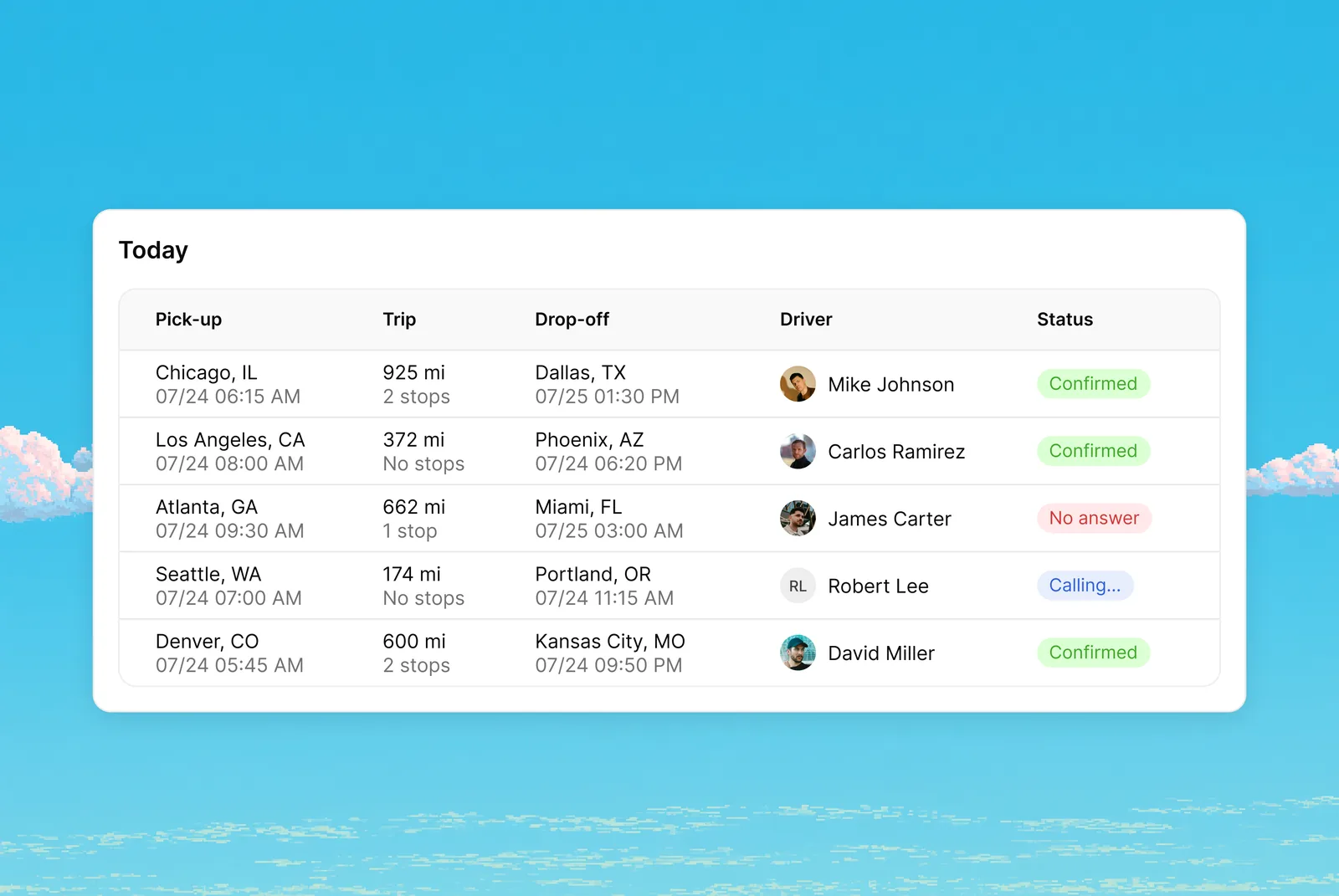
Digital Workers call drivers from your trip board
A Digital Worker can now call drivers straight from a board. Your trip spreadsheet comes in as a workflow step, and each call's result is written back into the same table. The first customer setup runs two boards: "Trips" and "Today".
Onboarding
A quickstart on Home and team invites by department
After onboarding, shippers now see a quickstart on Home. The step for assigning responsible people is back, now organized by department, and the colleagues you add get an invitation.
A more reliable company scan
The company assessment now always returns a result. A manufacturer is read as a manufacturer, and a second scan no longer overwrites a brand that's already set up. Phone fields accept numbers of full length.
Carrier network
The contract step starts with one question
The contract step now opens with: "Do you have a contract with the customer?" If a carrier's application comes with a placeholder contract, you can reject it.
Carrier emails show the right contact
Emails to carriers now use the contact set in Network → Contact. Before, a random employee could show up there. The source page also moved to the new design.
Tenders
Tenders without a country stay on the load board
A tender whose loading point had no country used to drop off the load board. It now stays there. Your external ID also prints on the transport order.
Transport Order template
Stop details now come from the client card, and a Transport Order template is available. Prices print in the standard format, without a stray space.
Interface
Menu by role and every model in Studio
System products now show according to your brand's role, grouped in the menu under "Products" and "Data Models". Virtual Office moved to the new interface and got a one-click activity filter. Studio now lists all your data models; before, it stopped at 25.