

Owner Operator

Your next load found from your phone

Between drives you scroll boards and your inbox, and the good loads are gone by the time you call. Load Hub finds loads near your drop-off, and Cargofy's digital worker, an AI assistant that writes to and calls brokers for you, makes the contact. You decide which load to take.

Pixel-art illustration of a truck travelling along a country road.
Benefits

What changes for your team

Loads near your drop-off, in one list

Load offers from your email and connected boards land in one list, filtered by your lane, truck and weight. Set a search once and get notified when a match appears.

USD 0

USD 0 for owner-operators
Load Hub is free for owner-operators with one truck, and Cargofy Go is free for drivers. You work with the digital worker in a messenger.

The broker called while you drive

Tap bid, and a digital worker writes to or calls the broker and brings the answer back. You confirm every booking.

POD sent from the stop

Photograph the POD in Cargofy Go at delivery, and it goes into the trip. The invoice is generated from the same data.
Products

Run every load from search to getting paid

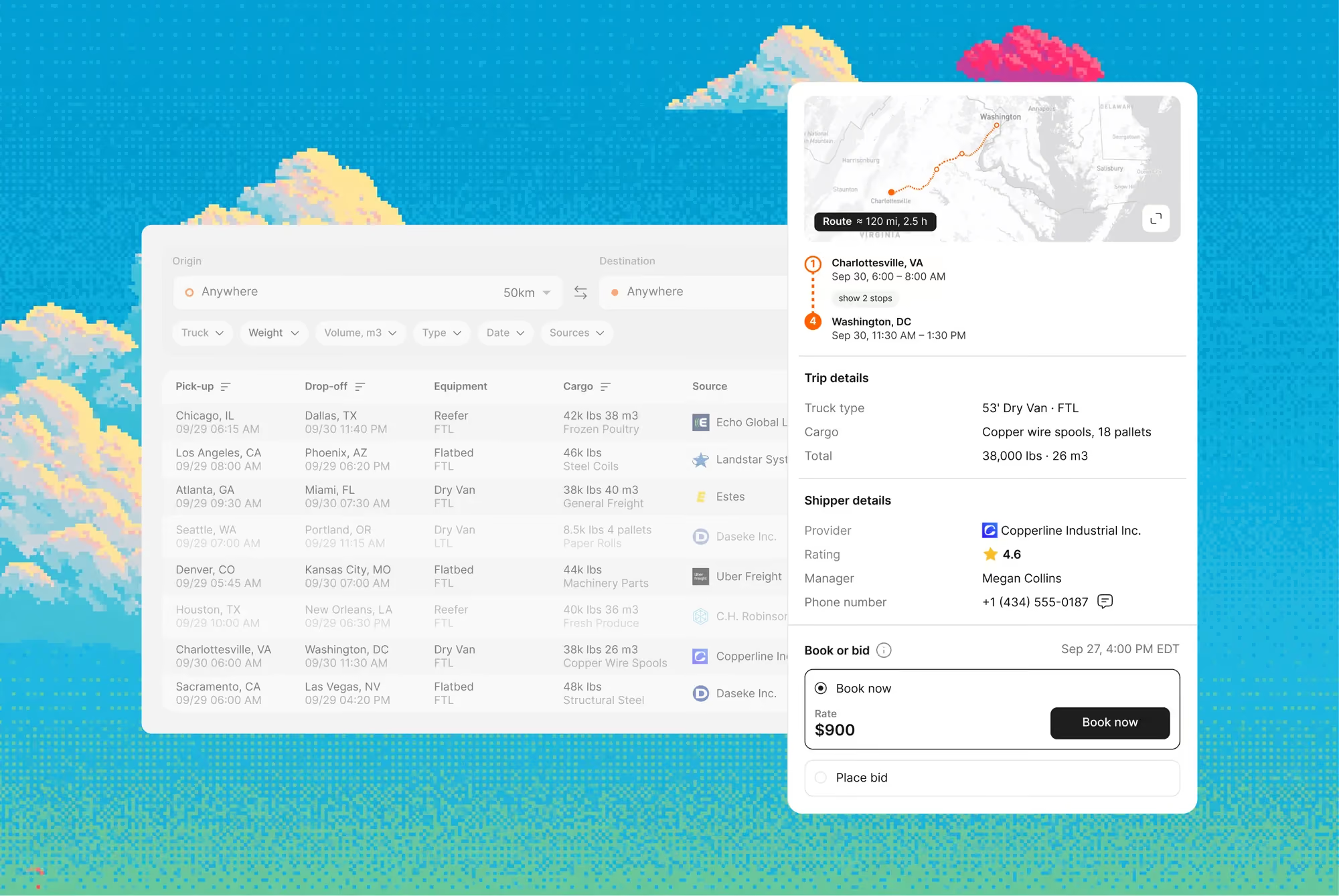
Every source in one ranked search

Loads from Timocom, Trans.eu, Lardi-Trans, Teleroute, Cargopedia and your inbox appear in one table, under your own board accounts

The next load near each drop-off

Save a lane and truck parameters, for example Rotterdam to Skopje and back. Load Hub looks for loads near the drop-off and notifies you

No copy-paste to the broker

Press bid, and the digital worker writes to or calls the broker and returns the reply to the load card
Workers

POD in the shipment the moment it's taken

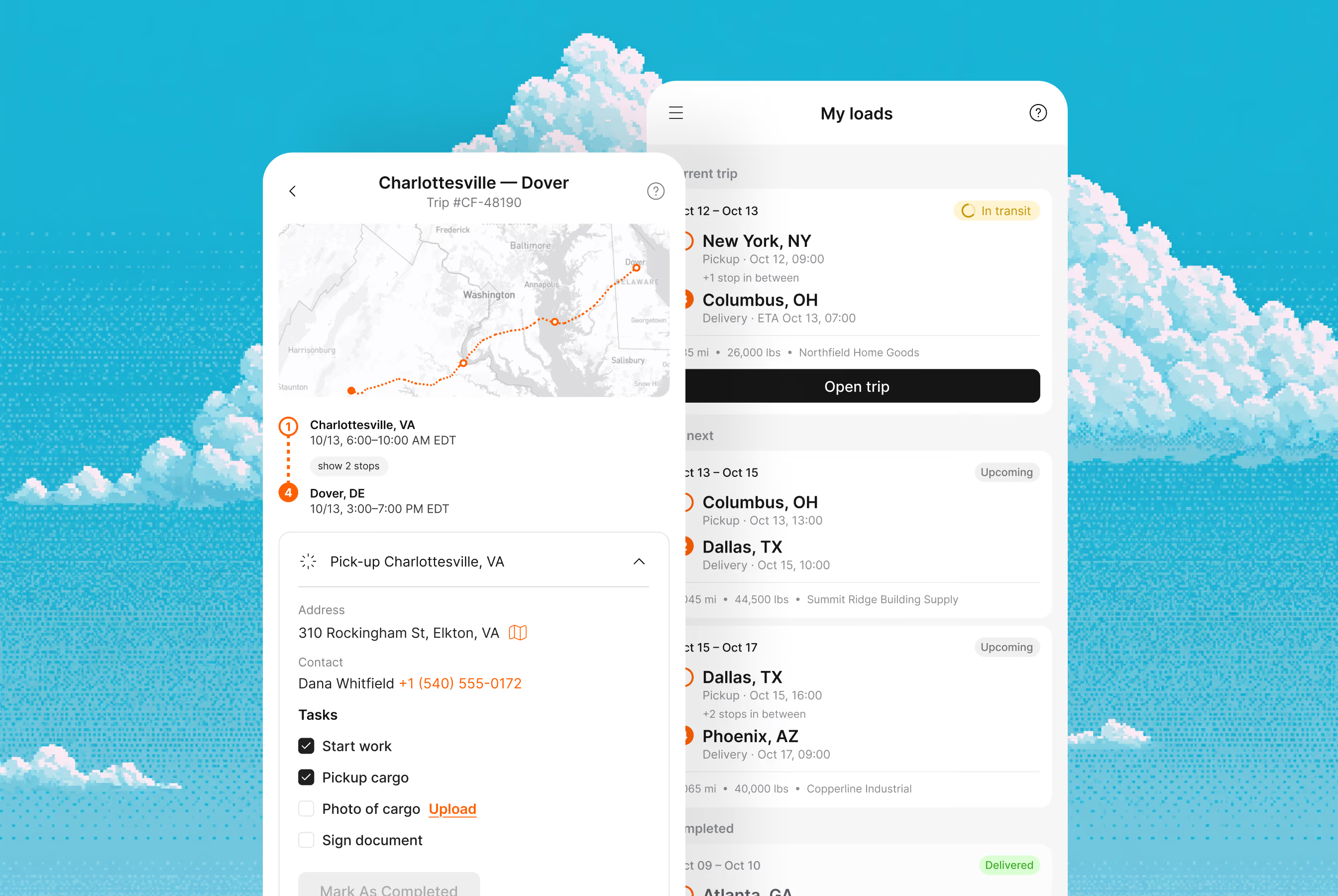
The driver photographs the POD or CMR at the stop, and the file is attached to the trip

Stop statuses without a call

The driver marks arrival, loading and unloading, and your team sees it right away

Trips and tasks on the phone

When a dispatcher assigns a driver, the trip appears in Cargofy Go with its stops and tasks
Workers

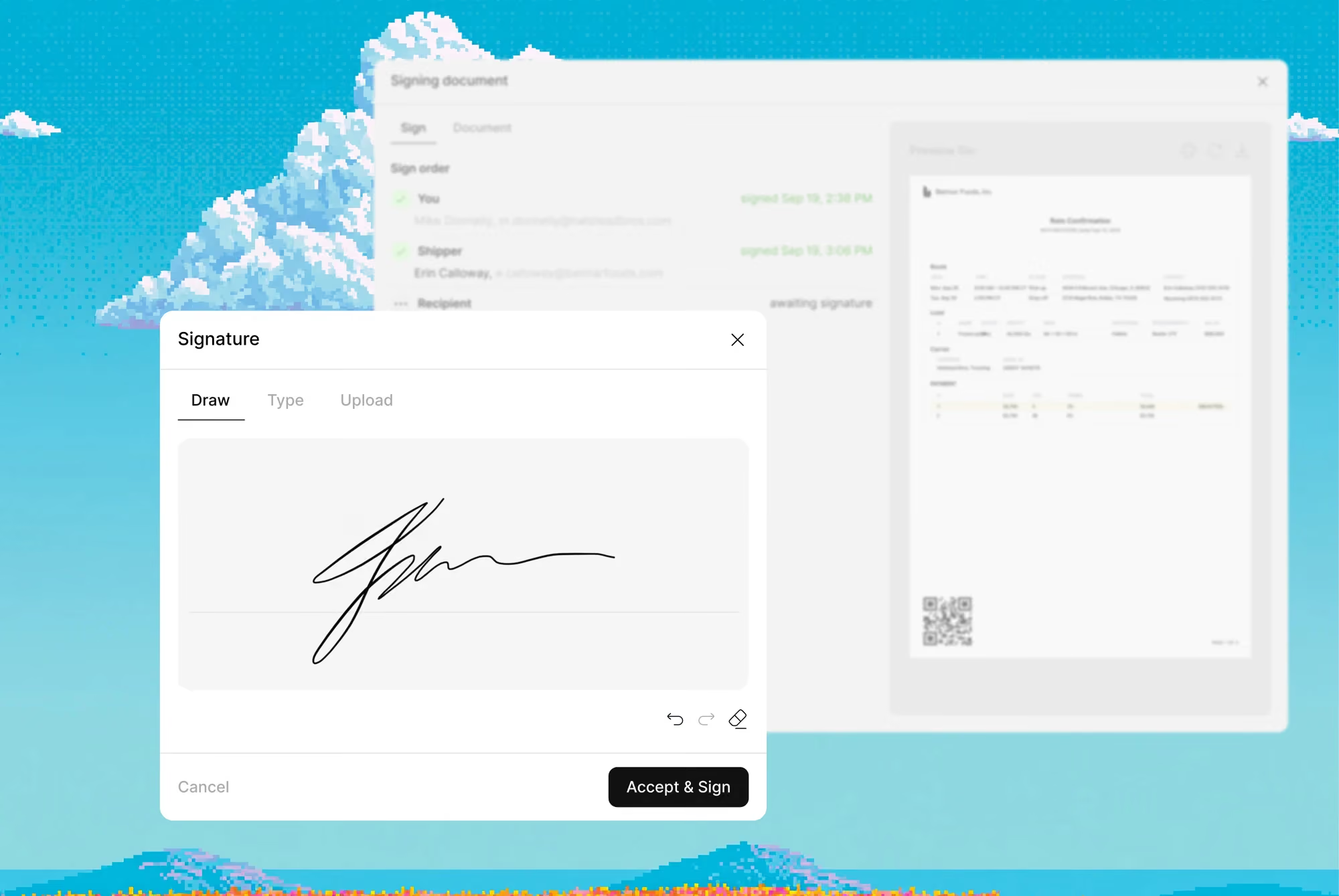
Incoming documents read for you

The worker reads PODs, CMRs, bookings and email attachments and fills the shipment record with their data

Missing PODs chased until they arrive

When a POD or signed CMR is missing, the worker asks the carrier and driver until it's in, so invoicing doesn't stall

Outgoing documents filled from the record

Contracts, orders, acts and invoices are generated from your own templates with the carrier and shipment details already in place
Workers

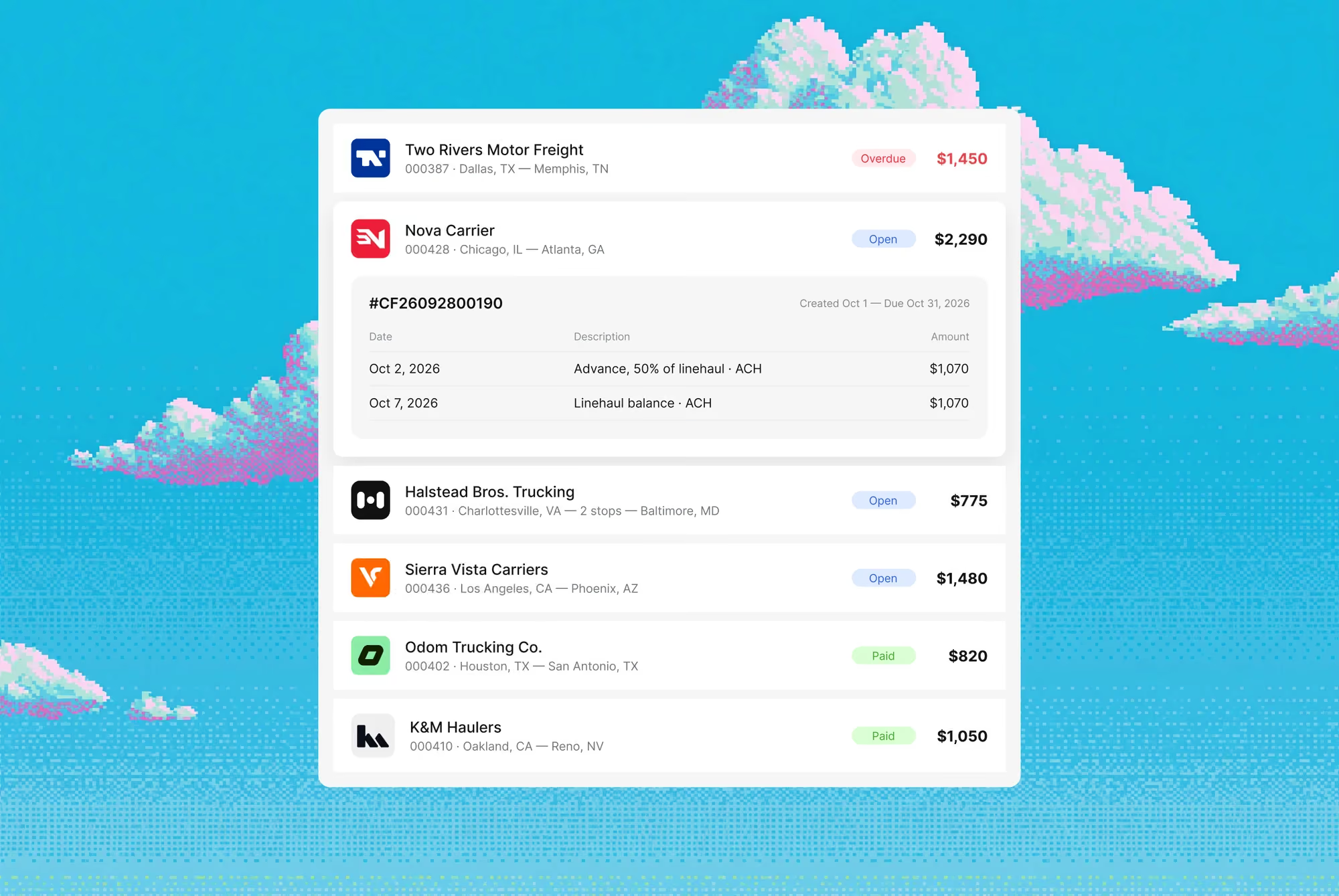
Status on every shipment

Once a tender is completed, it shows a payment status that the shipper or the carrier can mark

Ready to invoice at a glance

Shipments with an approved rate and a POD in place are marked ready, so billing doesn't wait on a manual check

Every bill checked against the agreed rate

Carrier invoices are compared with the agreed rate and accessorials, so an extra EUR 20 on a bill doesn't go unnoticed
Workers
Results

What you see in 90 days

50,000+ companies. Active loads across every lane. Carriers you can call, qualify, and dispatch today — not after a 90-day onboarding.

USD 0

USD 0 for owner-operators

15 hrs

of weekly paperwork handed off

+18%

revenue per truck

Same day

invoicing on every delivery

Digital workers

The team behind this solution

Payment Chaser

Polite, relentless, multilingual — follows up on every overdue invoice on a schedule, and your DSO drops.

Document Processor

Reads BOLs, CMRs, invoices and customs forms, checks them, and files them to the right shipment in seconds.

Voice Agent

Makes and takes calls in 28+ languages — quotes, confirmations, check calls — with your name on the caller ID.

Dispatcher

Matches loads to trucks, plans routes, and confirms bookings in seconds — across every load board you use, 24/7.
1

Map your business

System Architect studies your website, interviews your team and builds a virtual map of all your processes. You review it before anything goes live.

2

Build your platform

Each digital worker has its own credentials, role, virtual computer and smartphone. Whatever your team does on a screen, it can do too, in 28 languages.
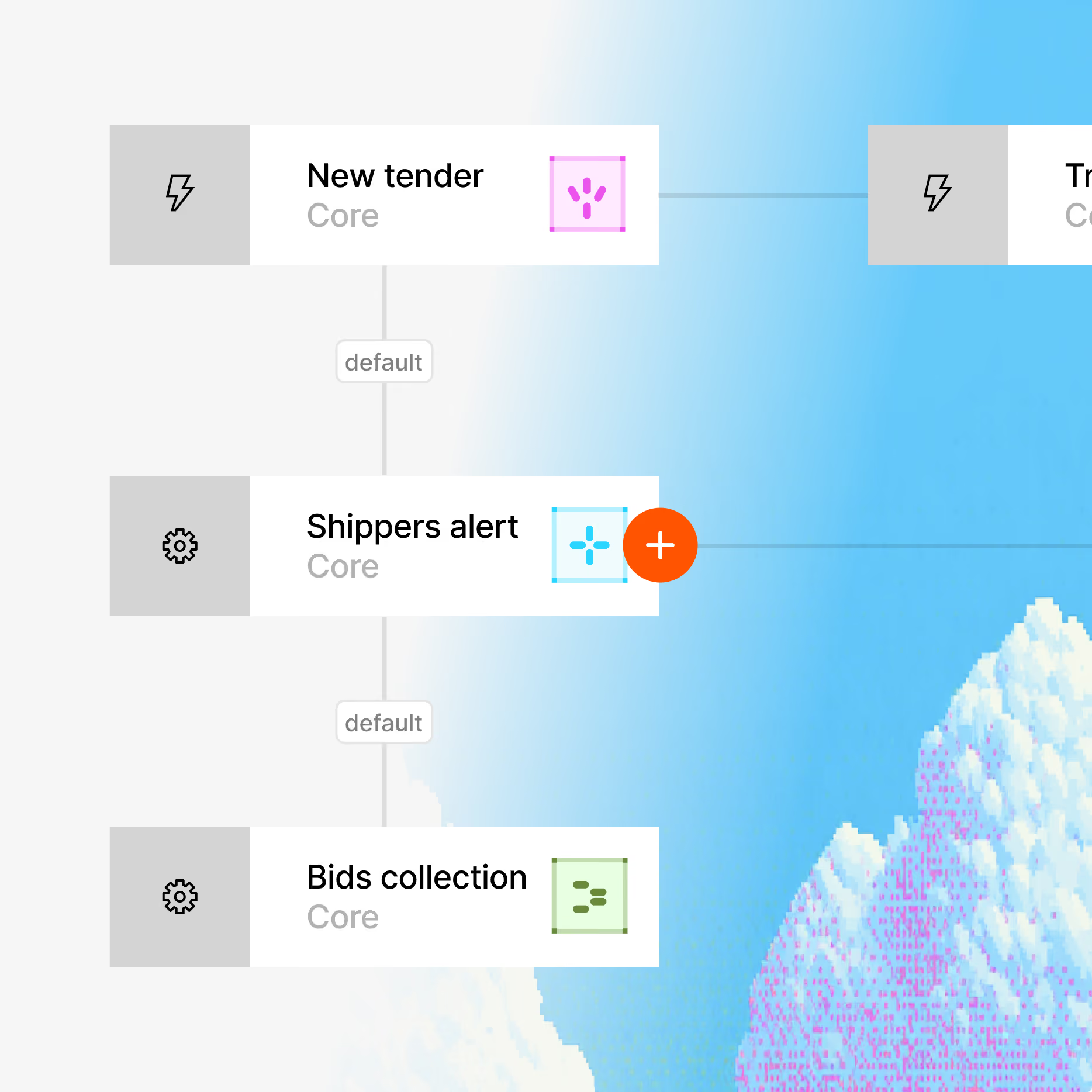
Workflow diagram with three labeled nodes: New tender, Shippers alert, and Bids collection, each marked as Core with icons and connected by lines on a gradient blue and white background.
3

Go live in hours

Digital Workers connect to your TMS, ERP, email, GPS and other tools through 100+ integrations, plus REST API, webhooks and MCP.
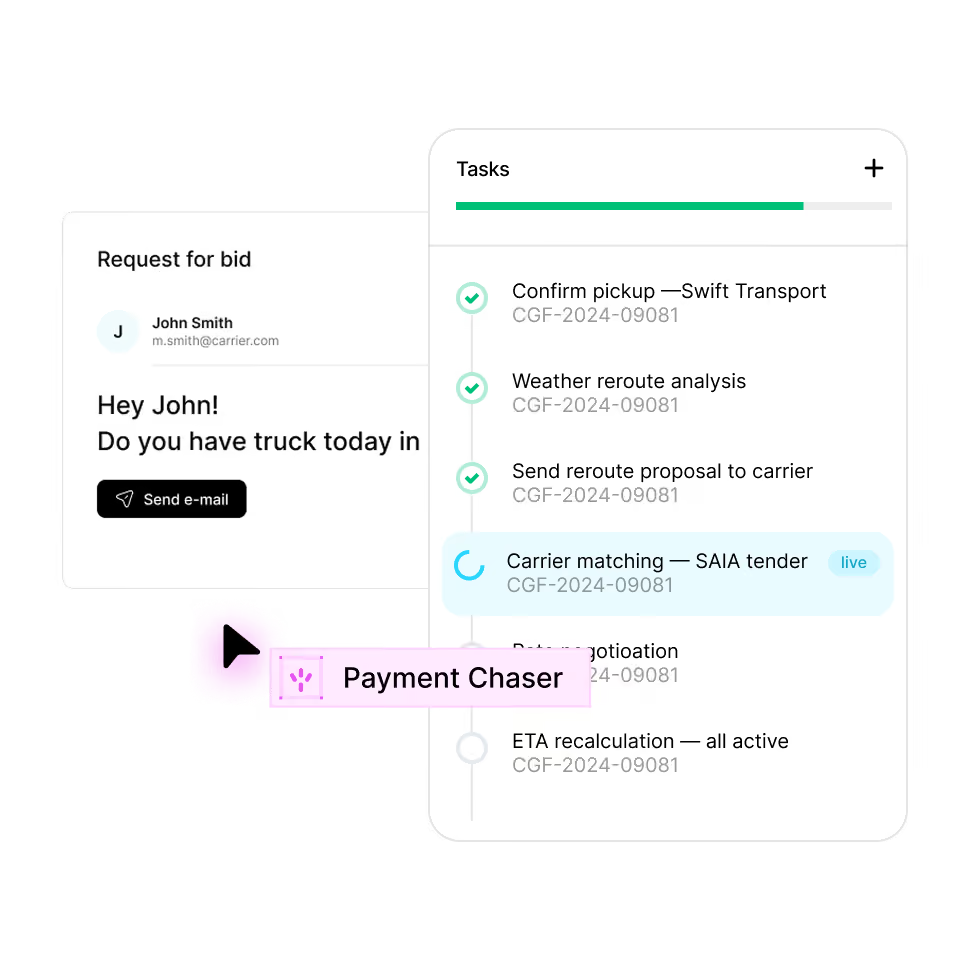
User interface showing a request for bid message to John Smith asking if he has a truck today, with a 'Send e-mail' button, alongside a task list including completed tasks like Confirm pickup—Swift Transport, Weather reroute analysis, Send reroute proposal to carrier, and ongoing task Carrier matching—SAIA tender marked live.
Platform

Your operation now runs itself

The platform maps your operation and builds the workflows and digital workers to run it, on top of the tools and channels you already use. You decide what they can do and where they must get approval.

Related primitives

Each agent operates within different contexts and sets of instructions, creating unique workflows and data models

icon

Workflows involved

Invoice on delivery
Finance
•
POD in, invoice out — same hour.
Call for a quote
Dispatching
•
Calls a carrier, negotiates and locks the rate.
Find loads at DAT
Dispatching
•
Sweeps DAT for matching loads and books the best one.
icon
Data models
Document
Teach the drawer your paperwork — add document types and required fields for your trade.
Payment
Track your own settlement details — factoring fees, quick-pay discounts — as fields on the payment file.
Invoice
Add cost centers, VAT schemes or customer billing codes as custom fields on every invoice.
Quote
Add your own quote fields — incoterms, validity rules, internal approver — and they appear on every offer.
Rate
Keep your own pricing logic close — add fuel tables, currency rules or customer tiers as custom fields.
Fleet
Model your fleet your way — add subfleets, lease terms or telematics IDs as custom fields.
Carrier
Track your own vetting steps — references called, factoring checked — as custom fields on the carrier file.
Booking
File your own fields — free time agreed, SI cut-off, named account — alongside the standard booking.
Load
Add fields like tarp required, drop trailer or customer load ID — they ride along on every booking.

Enterprise grade security

Your data stays yours. Built with privacy-first architecture for regulated industries.

Rounded square button icon with a black keyhole symbol above the text 'SSO' on a light gray background.
SSO & RBAC

Enterprise access controls

A circular certification seal with the text: AICPA SOC 2 Service Organization Control External SAS 70 Reports.
SOC 2 Type II

Independently audited

Gray circular badge with 12 white stars evenly spaced around the edge and the letters GDPR in the center.
Full Compliance

GDPR, CCPA, HIPAA ready

Shield-shaped emblem with the text 'AES-256 ENCRYPTION' in bold letters across the front.
Encryption

AES-256 at rest, TLS 1.3 in transit

FAQ

FAQ

Everything you need to know about deploying AI Digital Workers into freight operations — from how they work to how fast you can go live.‍

Is Load Hub free for owner-operators?

Yes. Owner-operators with one truck use Load Hub for free and work with the digital worker in a messenger.

Do owner-operators need load board accounts?

Yes. Loads from a board appear under your own account there, so you need an active account on each board you connect.

Does Load Hub book loads automatically?

No. The digital worker sends your bid or booking request and brings back the answer. You confirm every booking.

Is Cargofy Go an ELD?

No. Cargofy Go handles trips, stop statuses, documents and location. It doesn't record hours of service.

Can I start without a demo?

Yes. Owner-operators sign up on their own, connect a mailbox and start searching for loads.

Agent iconAgent iconAgent iconAgent icon

Ready to put a Digital Worker on the job?

Live in days, not months — connected to your TMS, load boards, and the 50,000-company Cargofy Network from day one.