

Every parcel accounted for.
High-volume parcel and last-mile networks run on workers who track every piece, answer every customer, and never clock out.
Sampling rates
Audit sampling is configured between 1-100%. At high session volumes, full sampling is impractical. A 1–10% rate at scale still surfaces systemic issues. The right rate depends on session volume and how much risk a given workflow carries.
Audit conditions
Conditions filter sampling-eligible sessions before sampling rate is applied. Filter by call outcome, routing type, workflow version, or any custom variable, so higher sampling rates are only put on sessions with the most operational or compliance risk.
What an audit remark contains
Every remark returns four fields: whether the session passed or failed the northstar, a suggested correction if it failed, the reasoning behind that correction, and a status (open, resolved, or dismissed) - so findings can be triaged without leaving the platform.



Sampling rates
Audit sampling is configured between 1-100%. At high session volumes, full sampling is impractical. A 1–10% rate at scale still surfaces systemic issues. The right rate depends on session volume and how much risk a given workflow carries.
Audit conditions
Conditions filter sampling-eligible sessions before sampling rate is applied. Filter by call outcome, routing type, workflow version, or any custom variable, so higher sampling rates are only put on sessions with the most operational or compliance risk.
What an audit remark contains
Every remark returns four fields: whether the session passed or failed the northstar, a suggested correction if it failed, the reasoning behind that correction, and a status (open, resolved, or dismissed) - so findings can be triaged without leaving the platform.

Sampling rates
Audit sampling is configured between 1-100%. At high session volumes, full sampling is impractical. A 1–10% rate at scale still surfaces systemic issues. The right rate depends on session volume and how much risk a given workflow carries.
Audit conditions
Conditions filter sampling-eligible sessions before sampling rate is applied. Filter by call outcome, routing type, workflow version, or any custom variable, so higher sampling rates are only put on sessions with the most operational or compliance risk.
What an audit remark contains
Every remark returns four fields: whether the session passed or failed the northstar, a suggested correction if it failed, the reasoning behind that correction, and a status (open, resolved, or dismissed) - so findings can be triaged without leaving the platform.

Sampling rates
Audit sampling is configured between 1-100%. At high session volumes, full sampling is impractical. A 1–10% rate at scale still surfaces systemic issues. The right rate depends on session volume and how much risk a given workflow carries.
Audit conditions
Conditions filter sampling-eligible sessions before sampling rate is applied. Filter by call outcome, routing type, workflow version, or any custom variable, so higher sampling rates are only put on sessions with the most operational or compliance risk.
What an audit remark contains
Every remark returns four fields: whether the session passed or failed the northstar, a suggested correction if it failed, the reasoning behind that correction, and a status (open, resolved, or dismissed) - so findings can be triaged without leaving the platform.

Sampling rates
Audit sampling is configured between 1-100%. At high session volumes, full sampling is impractical. A 1–10% rate at scale still surfaces systemic issues. The right rate depends on session volume and how much risk a given workflow carries.
Audit conditions
Conditions filter sampling-eligible sessions before sampling rate is applied. Filter by call outcome, routing type, workflow version, or any custom variable, so higher sampling rates are only put on sessions with the most operational or compliance risk.
What an audit remark contains
Every remark returns four fields: whether the session passed or failed the northstar, a suggested correction if it failed, the reasoning behind that correction, and a status (open, resolved, or dismissed) - so findings can be triaged without leaving the platform.

Map your business
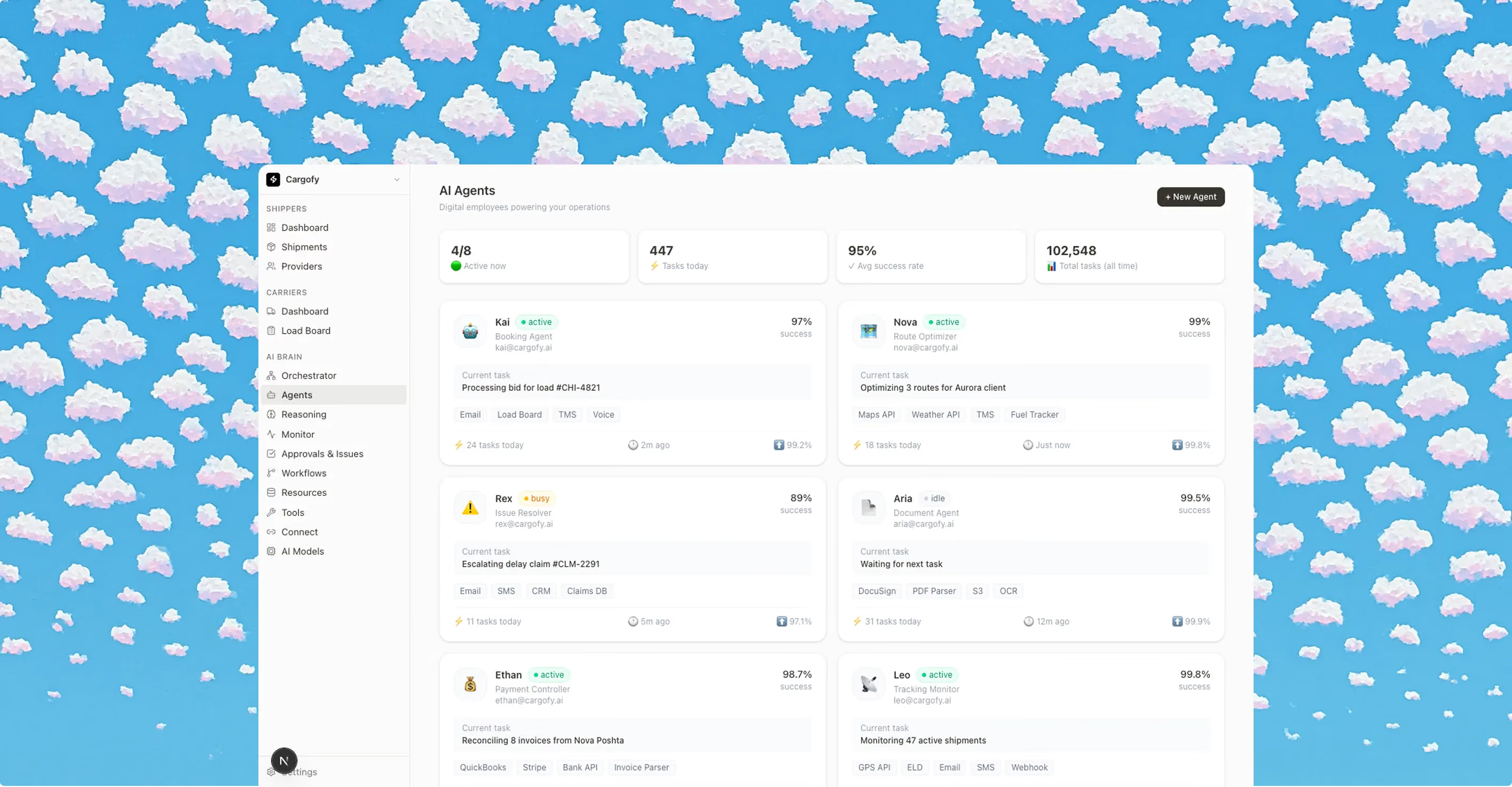
System Architect studies your website, interviews your team and builds a virtual map of all your processes. You review it before anything goes live.
Build your platform
Each digital worker has its own credentials, role, virtual computer and smartphone. Whatever your team does on a screen, it can do too, in 28 languages.
Go live in hours
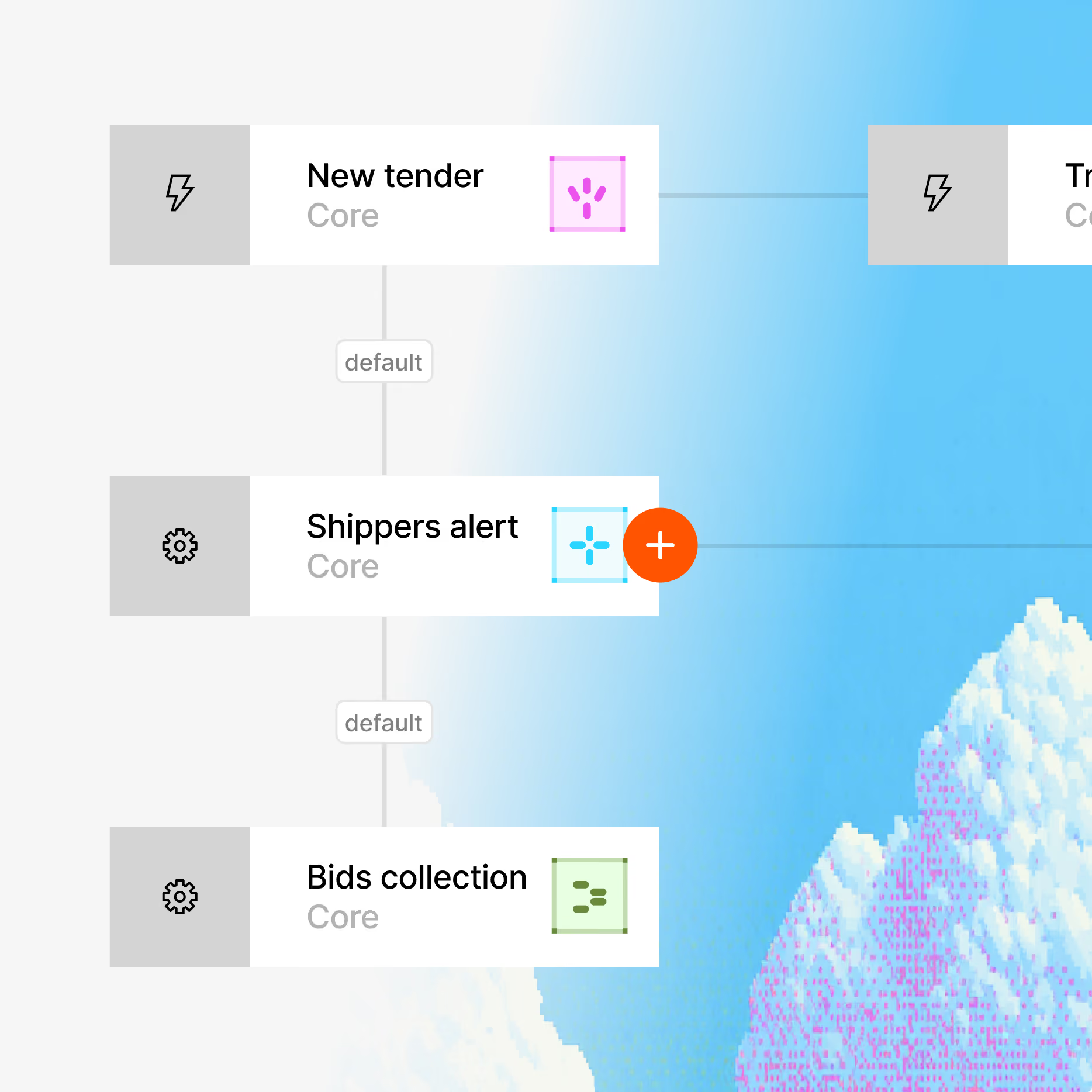
Digital Workers connect to your TMS, ERP, email, GPS and other tools through 100+ integrations, plus REST API, webhooks and MCP.
Your operation now runs itself
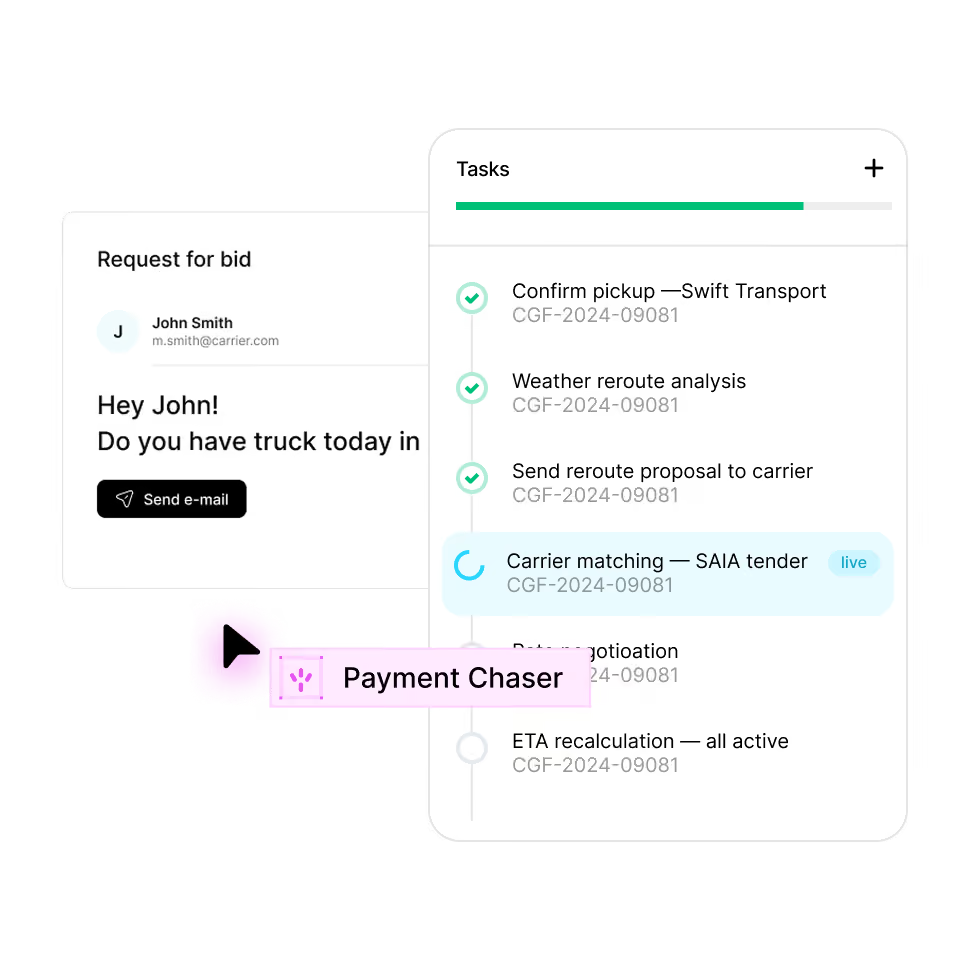
The platform maps your operation and builds the workflows and digital workers to run it, on top of the tools and channels you already use. You decide what they can do and where they must get approval.


Enterprise grade security
Your data stays yours. Built with privacy-first architecture for regulated industries.

Enterprise access controls

Independently audited

GDPR, CCPA, HIPAA ready

AES-256 at rest, TLS 1.3 in transit
FAQ
Everything you need to know about deploying AI Digital Workers into freight operations — from how they work to how fast you can go live.

Ready to put a Digital Worker on the job?
Live in days, not months — connected to your TMS, load boards, and the 50,000-company Cargofy Network from day one.