

Best Trucking Dispatch Software For Every Fleet Size

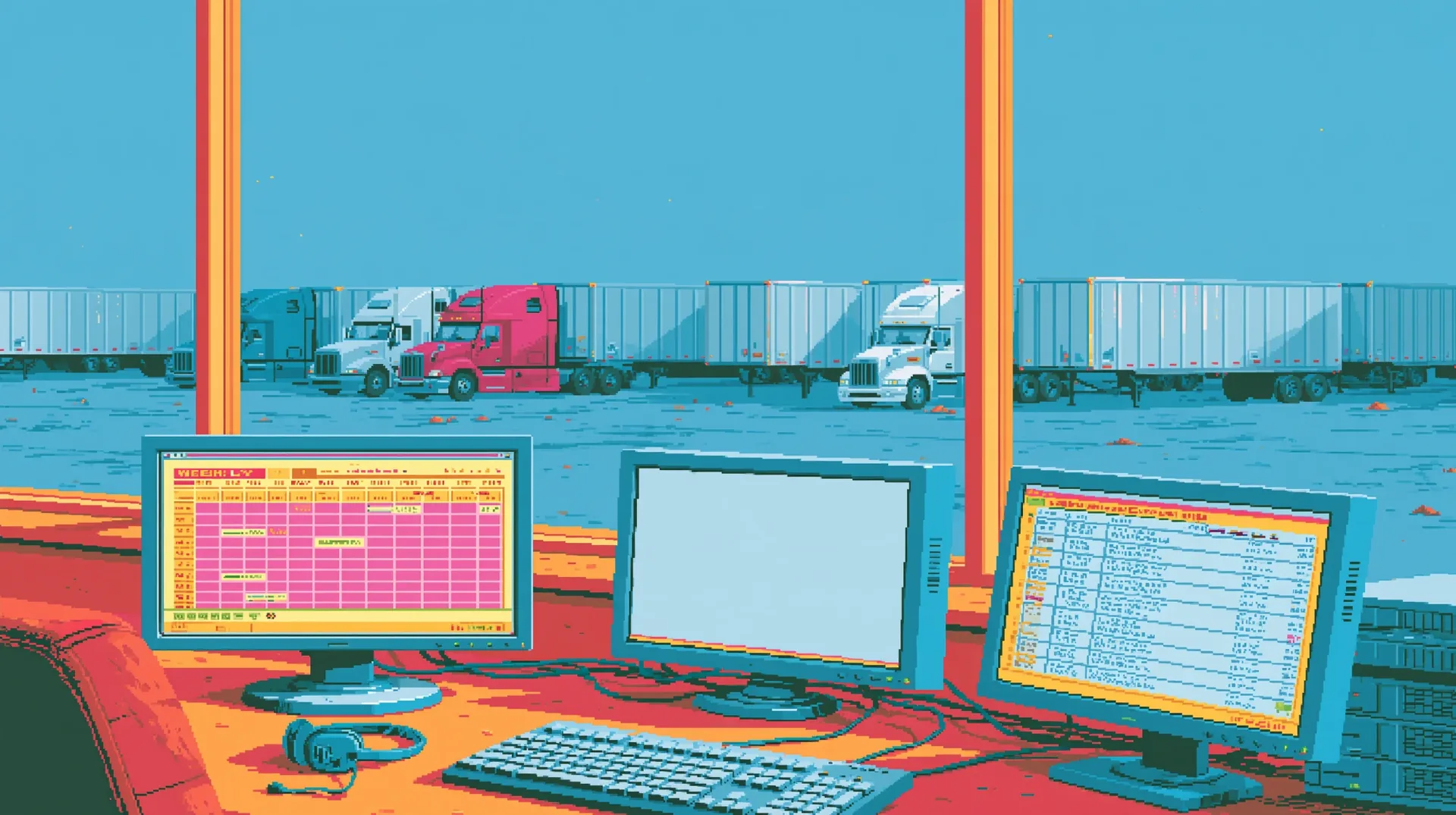
Trucking dispatch software is where a booked load turns into a planned trip, a driver on the road and, eventually, a paid invoice. With the right system in place, the dispatcher sees and manages every truck and load in one place. Without one, that same load turns into a rate con retyped by hand, multiple calls to the driver, and a busy spreadsheet only one person can fully understand.
Dispatch trucking software on the market falls into two main groups. Some are the system of record, a TMS or dispatch board that holds loads, drivers, and invoices, while others take on the work itself, like finding the next load and making the check calls. This guide covers what dispatch software does, how it works, and what it costs, followed by the top six tools and the fleets each one fits best.
What Is Trucking Dispatch Software?
Trucking dispatch software is the system a carrier’s dispatchers use to turn a booked load into an assigned, tracked, and billed trip. It holds all the load details, matches them to the right truck and driver, sends the trip to the driver, and keeps monitoring the status until delivery.
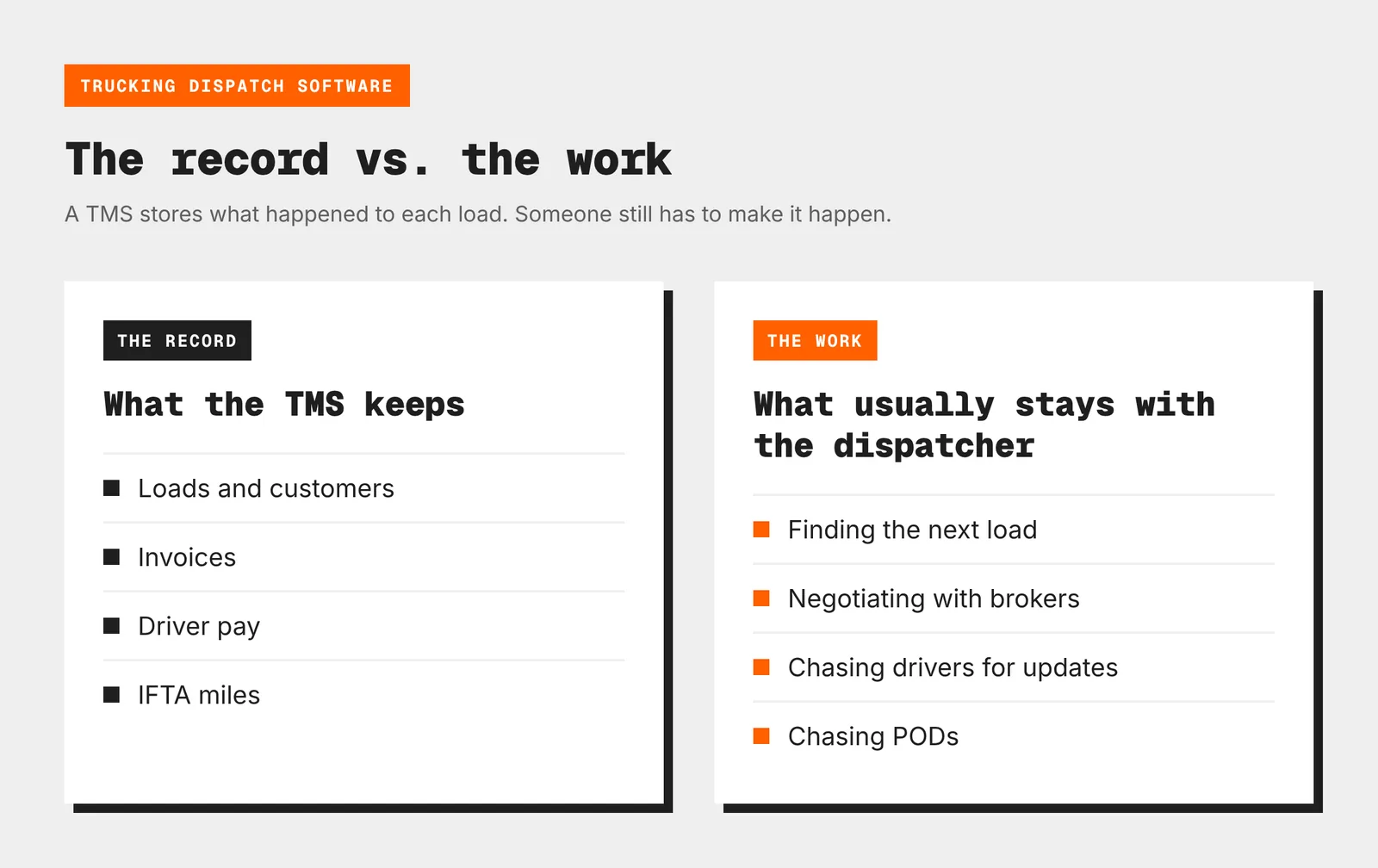
Most dispatch software for trucking companies is the dispatch board inside a TMS, which also handles invoicing, driver pay, and IFTA. A TMS keeps a record of each load, but someone still has to do the work around it, from finding the next load and calling brokers to chasing drivers for updates and paperwork. That work is what AI dispatch software takes on, with or without a TMS underneath.
How Trucking Dispatch Software Works, From Booked Load to Paid Invoice
Whatever the fleet size, most software for trucking dispatch follows the same five key steps:
- The load comes in: A rate confirmation arrives by email, a shipper sends an EDI tender, or a load gets booked off a board, and it becomes a full load record with the stops, times, equipment, and rate.
- The dispatcher assigns it: The software shows which trucks and drivers are free, where they’ll be, and how many hours they have left on the ELD clock.
- The trip goes to the driver: Stops, pickup numbers, and instructions land in a driver app or a text, so nobody has to make repeated calls or read addresses over the phone.
- The load gets tracked: Location comes from the ELD or the app, and geofences mark arrivals and departures for the customer’s status updates.
- The load closes out: Once the driver uploads the POD, the truck dispatch system builds the invoice, the driver’s pay, and the IFTA miles from the same record.
The real benefits of freight dispatching software show up across the whole flow, from no retyped rate cons at step 1 all the way to fewer check calls at step 4 when drivers are on the app.
Without such a system in place, not only is time wasted, but also oftentimes the next load for a truck gets found only after it unloads, and that’s a very expensive gap to have.
The ATRI 2026 operational costs update puts non-tank deadhead at 16.5% of all miles, with the average truck costing $2.336 per mile to run, so every empty mile between a drop-off and the next pickup is paid for at that rate.
How To Choose The Right Truck Dispatch Software
Choosing truck dispatch software always starts with your exact fleet and the way your dispatchers actually work. As a good rule of thumb, run every tool on your shortlist through these six checks:
- Fleet size and growth: dispatch software for small trucking companies has to keep dispatch, invoicing, and IFTA in one affordable app, while a 50-truck fleet needs planning views, user roles, and a dedicated customer portal.
- Freight type: heavy haul, LTL, intermodal, and dedicated freight each need different load records and pay rules, so make sure the tool handles yours without workarounds.
- Integrations: your ELD, QuickBooks, fuel cards, factoring company, and load boards that you already pay for should easily connect from day one.
- The driver side: some tools need an app and a login, others work by text, and the easier it is for your drivers, the less the dispatcher will have to chase by phone.
- Where dispatcher hours go: if the time goes to retyping and invoicing, a better TMS will help fix it, but if it goes to load boards, broker calls, and check calls, look at an AI layer that works alongside it.
- Pricing and onboarding: per truck, per user, or per load, and whether setup takes days or weeks.
Top Trucking Dispatch Software, Compared
Each tool below fits a different fleet and a different part of the job, so start with the table and then read the detailed overviews for those that best match your operations:
| Tool | Best for | What it handles | Starting price |
|---|---|---|---|
| Cargofy | Carriers that want more loads per dispatcher without adding headcount | Truck planning, load search and bids, broker and driver outreach, trip assignment | Free for 1 truck, then pay per completed task |
| AscendTMS | Owner-operators and small fleets that want an all-in-one TMS | Dispatch, load board integrations, payroll, IFTA, accounting | $69/user/month, 30-day free trial |
| DispatchMVP | Small fleets up to 50 trucks | Dispatch board, rate con import, voice commands, check calls | $49/mo (2 trucks) |
| Truckbase | Asset-based fleets of 5 to 50 trucks | One-screen dispatch, rate con import, driver texts, QuickBooks sync | $290/mo, billed annually |
| Rose Rocket | Growing carriers and mixed carrier and brokerage teams | Full TMS with workflows, AI email intake, customer portal | Quote |
| McLeod LoadMaster | Large truckload carriers | Enterprise dispatch and planning, driver app, 260+ integrations | Quote |
1. Cargofy: AI Digital Workers That Grow With Your Fleet
Cargofy is a logistics platform for shippers, brokers, and carriers, with AI digital workers built into each of its products. For carriers, it covers the day-to-day of dispatch work, from planning each truck’s next load and bidding on freight to building round trips, checking in with drivers, and chasing PODs. Digital Workers handle the calls, emails, and messages and log every action, while the dispatcher has the final say in every booking.
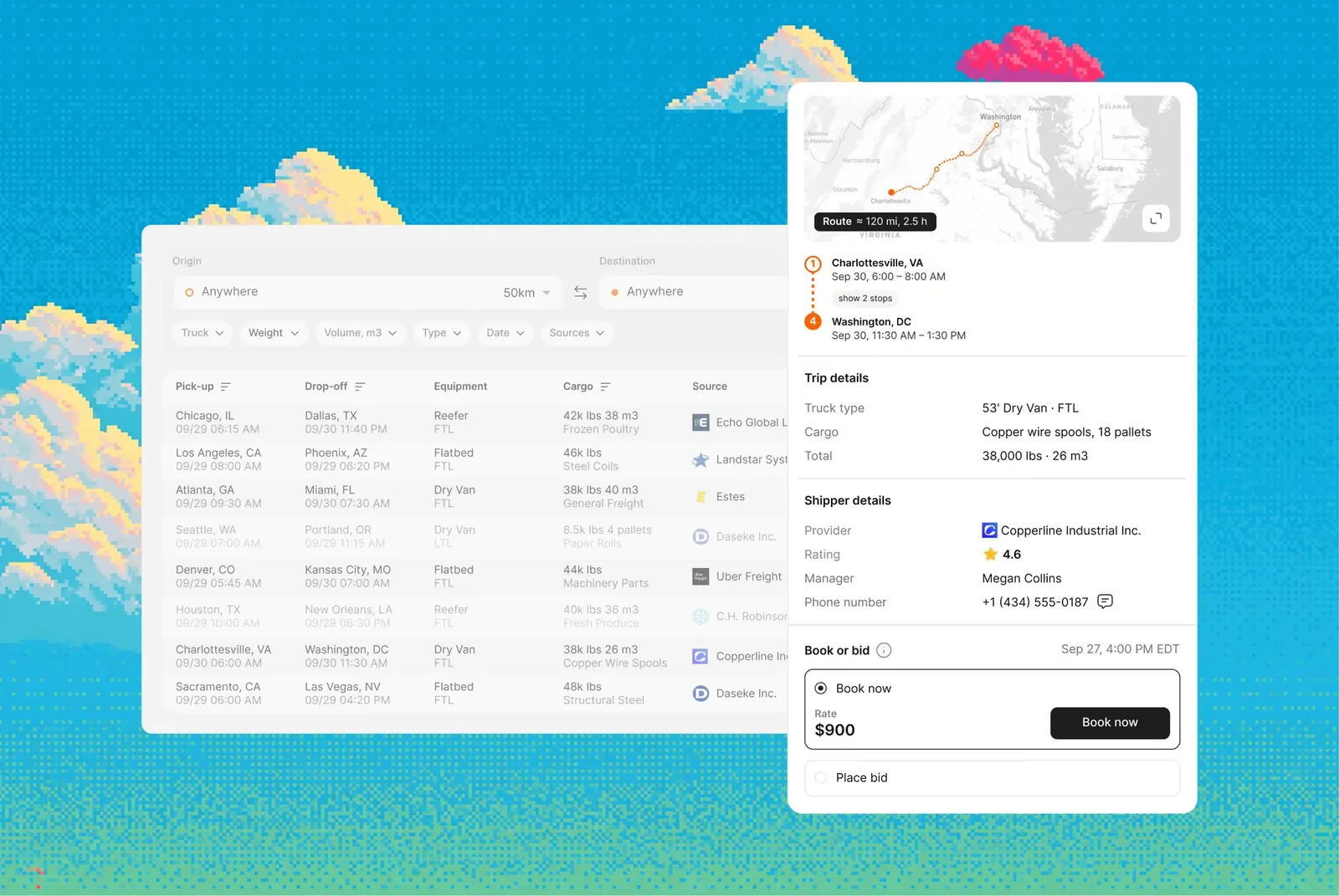
Dispatch work starts in Planner, which shows every truck’s current and next trip by date in a neat calendar. A dispatcher can see which truck runs empty tomorrow and start a load search for it before it unloads, which cuts empty miles by 15% on average.
The searches themselves run through Load Hub — one ranked search across your email, connected load boards (Direct Freight and Sylectus in North America), and shippers on the Cargofy platform.
When you pick a load, a Digital Worker places the bid or emails/calls the broker and brings the reply back to the load card. After booking, another digital worker will suggest a truck and driver from your fleet and plan the return leg with the outbound one, and the route goes straight to the driver’s Cargofy Go app once the dispatcher confirms.
It also connects to the TMS, load boards, and telematics tools you already use (98 of them, to be exact), and owner-operators can start on the free one-truck plan.
Key features:
- Planner: every truck’s current and next trip by date, planned 48 hours ahead, with a load search for each truck
- Load Hub: one ranked search across email, connected load boards, and Cargofy shippers, with saved lane alerts that run 24/7
- Digital Workers: bid and follow up with brokers by email and phone, while the dispatcher confirms every booking
- Trips: truck and driver suggested from your fleet, with the return leg planned alongside the outbound one
- Fleet records: insurance, permits, and inspections tracked by expiry date, with 30 days’ warning
- Activity Log: showing which worker made each bid, call, and booking request
See how Cargofy’s digital workers take on your dispatch work, from the next load to the final POD. Explore Cargofy for carriers →
2. AscendTMS: All-in-One TMS for Small Fleets
AscendTMS (from InMotion Global) is one of the most widely used carrier TMS platforms in the US. It’s cloud-based and mainly built for owner-operators and fleets of up to around 100 trucks, though brokers and shippers can run their freight in it too.
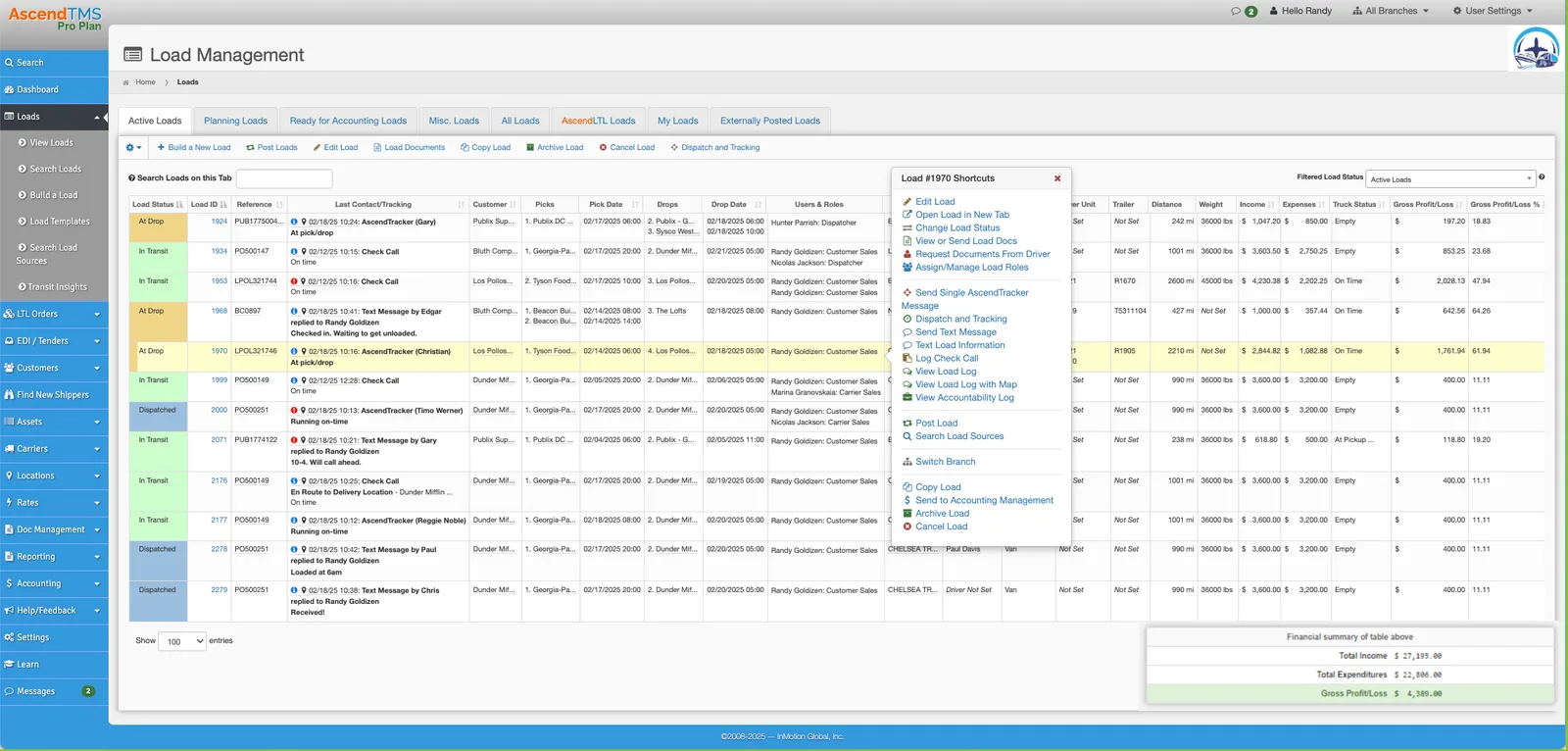
Loads, dispatch, and the back office sit in the same system, so dispatchers can build and dispatch loads with split loads, drop trailers, and team drivers, and track trucks through ELD connections or the driver’s phone GPS.
Integrations with Truckstop, Uber Freight, and other load sources bring freight into the same screen, while C.H. Robinson loads can be booked directly through an API connection. Invoicing, driver payroll and settlements, IFTA reporting, and QuickBooks sync are all built in.
Pricing is per user, starting at $69 a month, with no extra charge for trucks, drivers, or loads, while setup and training are free. Because the interface packs a lot onto each screen, set aside some time for team training before switching over.
Key features:
- Load building and dispatch with split loads, drop trailers, and team drivers
- Truck tracking through ELD connections or the driver’s phone GPS
- Loads from Truckstop, C.H. Robinson, Uber Freight, and other sources in one screen
- Driver payroll, settlements, and IFTA reporting
- Invoicing, accounting, and QuickBooks sync
3. DispatchMVP: An AI-Assisted TMS for Small Fleets
DispatchMVP is a TMS for small carriers built around Otto, an AI assistant that dispatchers talk to by voice or text to assign drivers, list late deliveries, or update the board.
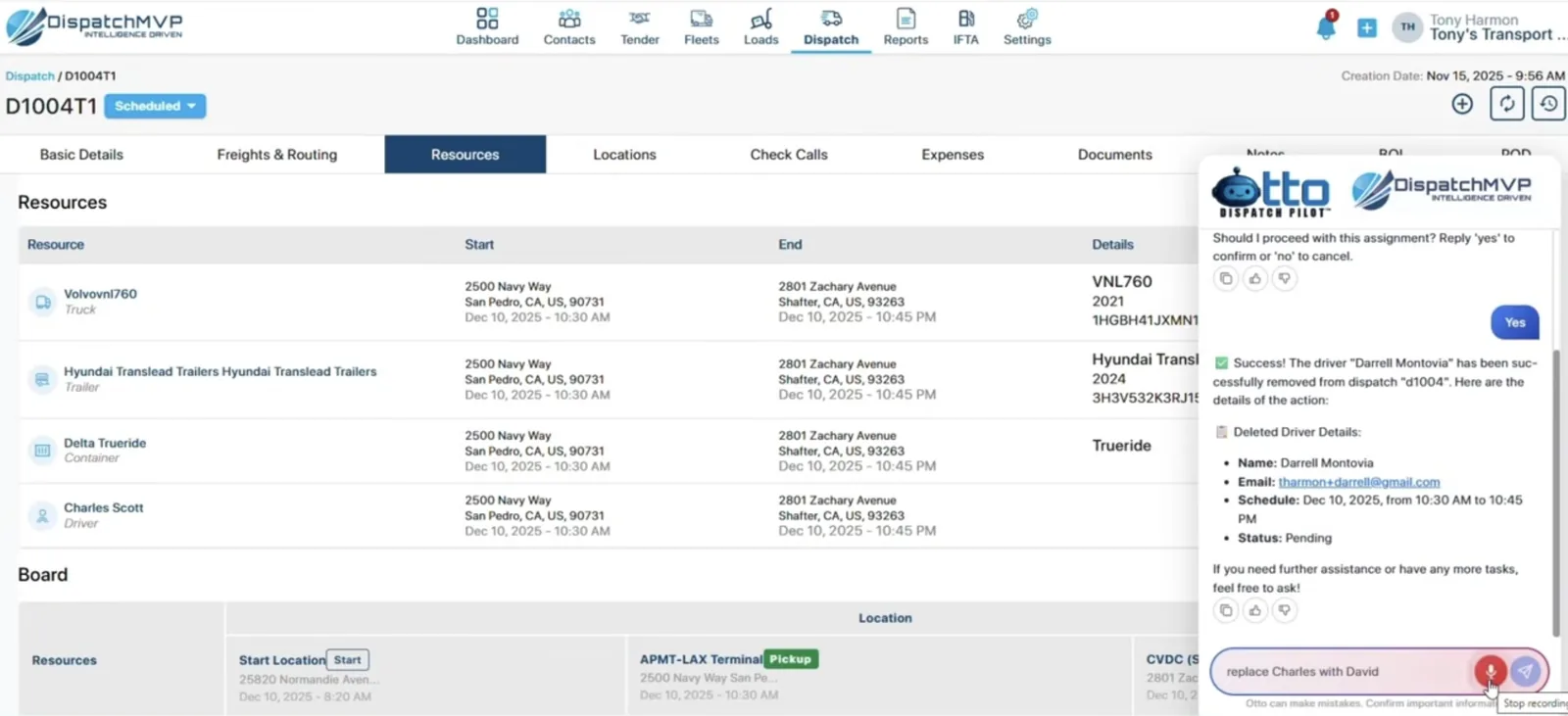
Load entry is what helps save the most time, where tenders and rate confirmations come in from emails, PDFs, and screenshots and then turn into loads, after which Auto Dispatch suggests a driver based on location, hours, and load requirements.
On the road, Otto recognizes when a driver is en route, has arrived, or is loading, and it creates the check call once the driver confirms. The platform also connects to Samsara, Motive and Azuga ELDs, major load boards, and QuickBooks.
Plans are priced for small fleets, starting at $49 a month for 2 trucks and 50 tenders, $99 for 5 trucks, $199 for 10 and $499 for up to 50, with a 30-day free trial.
Key features:
- Otto voice and text commands for assignments and status questions
- Tenders, rate cons, BOLs, and PODs imported from emails, PDFs, and screenshots
- Auto Dispatch suggestions based on location, hours, and load requirements
- Check calls created from the driver’s location and confirmed by the driver
- Samsara, Motive and Azuga ELD integrations, plus QuickBooks
4. Truckbase: Dispatch-First TMS for Fleets of 5 to 50 Trucks
Truckbase positions itself as a dispatch-centric TMS for asset-based carriers with roughly 5 to 50 trucks, covering heavy haul and specialized, regional, long haul, LTL, and intermodal freight. Dispatchers can plan loads on one screen with a calendar of every driver’s schedule, along with an AI-powered PDF importer that builds loads from rate confirmations.
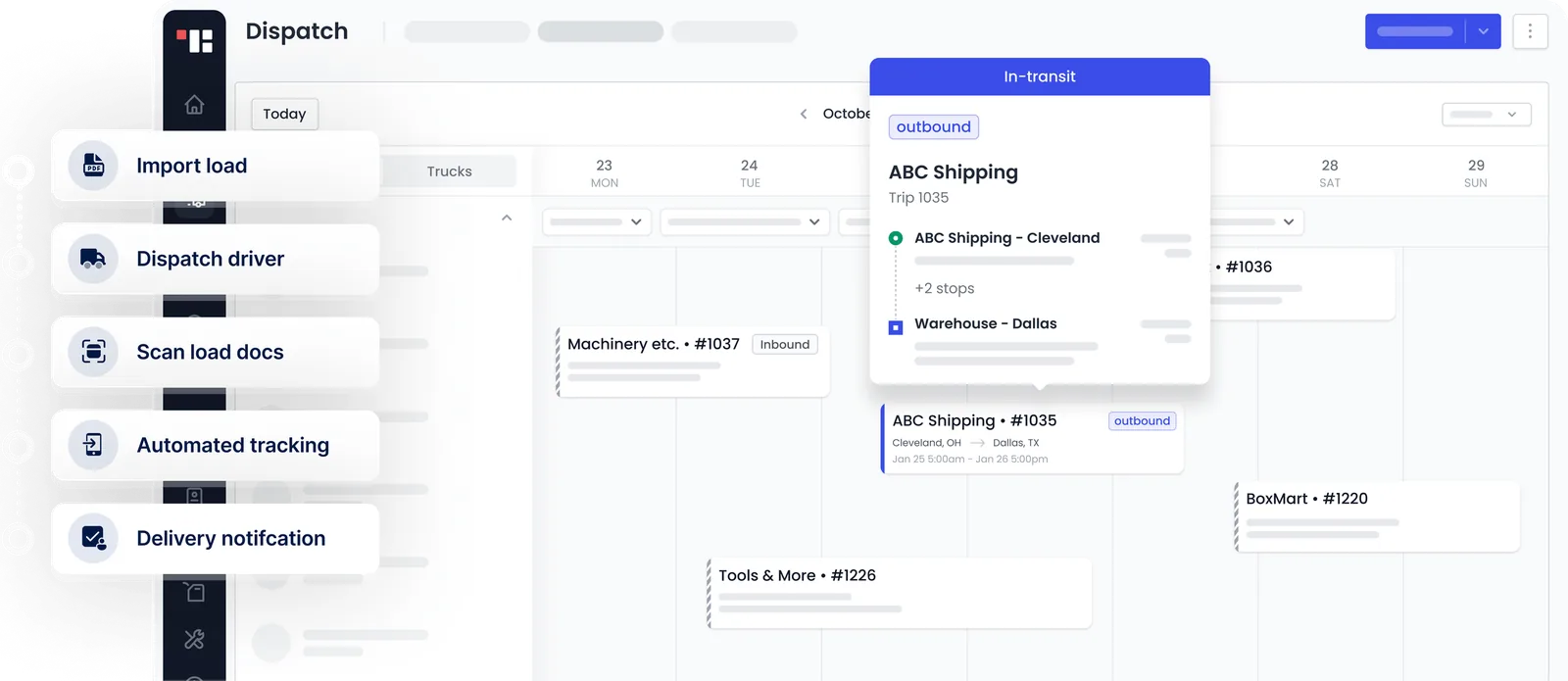
Dispatch details go to drivers by text or email in a few clicks, and drivers can use a simple text-based app to see their loads and scan BOLs. On the back end, Truckbase connects to more than 30 ELD providers, including Motive and Samsara, syncs with QuickBooks Online and Desktop, supports EDI, and builds driver pay sheets from the same dispatch data. Keep in mind, however, that this tool has no built-in IFTA reporting yet, and its factoring, routing, and fuel card integrations are listed as coming soon.
Pricing can be per truck, per driver, per load, or a flat annual rate, starting at $290/month billed annually.
Key features:
- One-screen dispatch calendar with every driver’s schedule
- AI PDF importer that builds loads from rate confirmations
- Text-based driver app with a BOL scanner
- 30+ ELD integrations, QuickBooks Online and Desktop sync, and EDI
- Customer tracking links and a self-service portal
5. Rose Rocket: AI-Native TMS for Growing Carrier and Brokerage Teams
Rose Rocket is a cloud TMS for carriers, brokers, and 3PLs, and it’s a good fit for fleets that run some brokerage alongside their own trucks. Ops teams set their own dispatch rules in the Workflow Builder, for instance emailing the customer when an ETA slips. On top of that, teams get tendering, capacity planning, appointment scheduling, track and trace, and a neat driver app with chat and signatures.
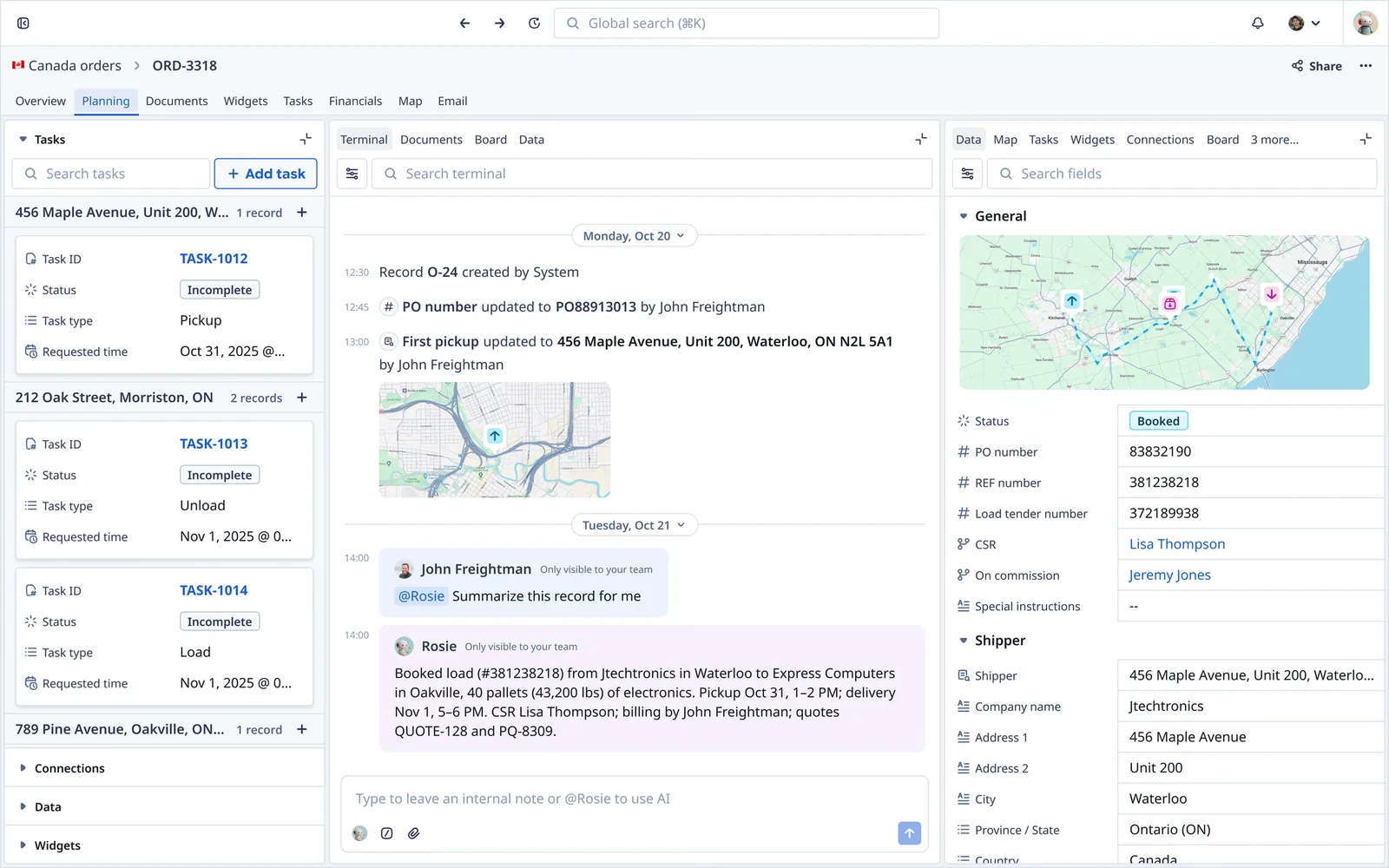
In 2025, Rose Rocket launched TMS.ai, a version of its own TMS with AI built into the system of record, including TED, an email assistant that turns shipment emails into booked orders.
What TMS.ai isn’t built for is the work that takes place outside the system, like calling drivers or messaging them on WhatsApp, bidding on loads and negotiating rates with brokers, or posting open trucks to load boards. If you want that work covered too, Cargofy connects to Rose Rocket, so its digital workers can take on that work while your TMS stays the system of record.
You pay one price with unlimited users, quoted after a demo. Moving to Rose Rocket means a full TMS switch, which may pay off for a growing operation with several dispatchers and customer-facing staff but is perhaps not the best pick for a three-truck carrier.
Key features:
- Workflow Builder for dispatch rules and automations
- TED, an email assistant that turns shipment emails into orders
- Rosie, an AI co-pilot for updates, backhaul opportunities, and load matching
- Driver app with trips, chat, and signatures
- Customer portal and 30+ integrations, including Samsara, Geotab, and QuickBooks Online
6. McLeod LoadMaster: Enterprise Dispatch and Planning for Large Carriers
McLeod Software has been in the transportation software industry since 1985 and currently serves over 1,200 active customers. LoadMaster is its TMS for asset-based carriers, with PowerBroker on the brokerage side. For dispatchers, the core is the Visual Planner, a drag-and-drop view with color-coded timelines that flag problems, along with a slide-out panel showing each driver’s past, current, and upcoming activity.
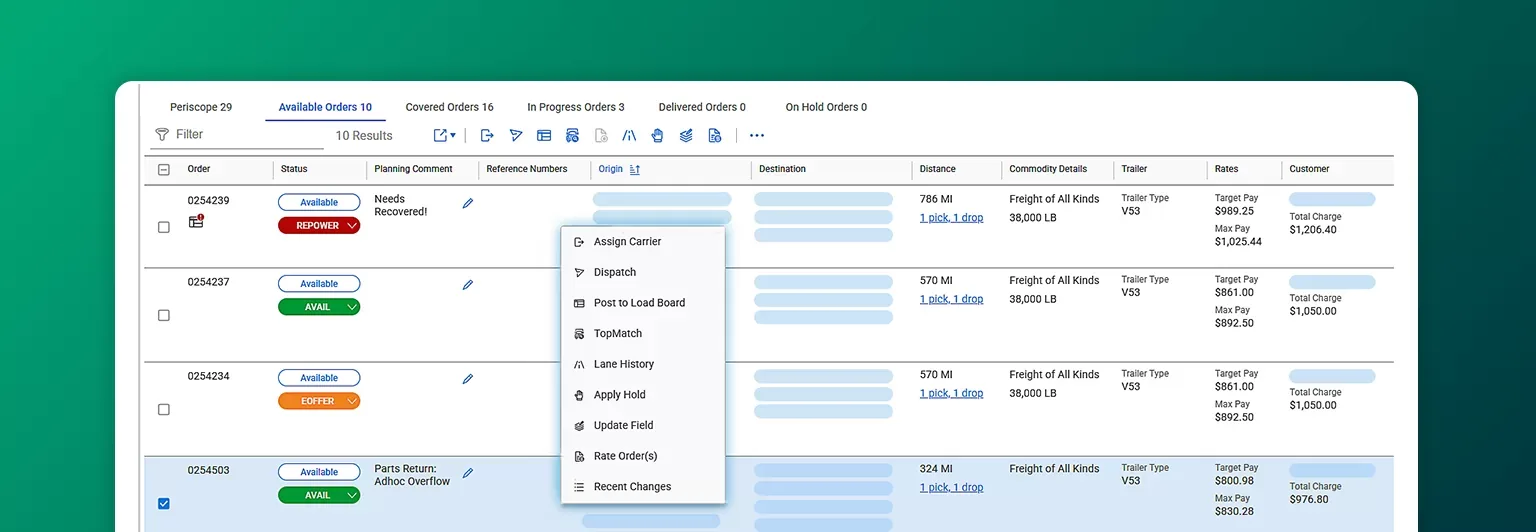
Automatch, Find Near, and equipment alerts all help speed up assignments, while task filters surface late loads and appointment conflicts. LoadMaster is now also available as web-based trucking dispatch software, so dispatchers can work from a browser, and drivers can use the Driver Sidekick app. McLeod says it’s also the first TMS where carriers can tender Aurora’s driverless loads from the same screen as regular freight.
LoadMaster comes with 260+ integrations, but it’s sold through demos and quotes, and ultimately designed for large carriers with a big enough operations team to configure and run it.
Key features:
- Visual Planner with drag-and-drop assignments and color-coded timelines
- Dispatch slide-out with each driver’s past, current, and next activity
- Automatch, Find Near, and equipment alerts
- Web-based access and the Driver Sidekick app
- 260+ integrations, including Aurora driverless capacity
How Much Does Trucking Dispatch Software Cost?
Pricing primarily depends on the type of tool you’re looking for. Carrier TMS and dispatch platforms usually charge a flat monthly fee by fleet size, from around $25 a month for one or two trucks to a few hundred dollars for fleets of 10 to 25. Larger platforms are quoted per fleet, often with a separate implementation fee. Add-ons like IFTA reports, EDI connections, or extra users can push the real monthly bill higher, so always keep an eye on the fine print.
AI platforms that handle the dispatch legwork usually charge by usage, so the bill follows the work they actually do. Cargofy, for example, only charges for completed tasks like a call made, an email sent, or a document filed, with no minimum usage, which means that in peak season the cost rises with your volume, but in a slow month it drops, something a flat per-truck fee never does.
Owner-operators can also start with trucking dispatch software free for one truck with Cargofy, where the Load Hub will find the right loads and a digital worker will bid on them while you drive.
The Next Step for Trucking Dispatch
For most carriers, choosing logistics dispatch software used to mean picking a TMS and accepting that dispatchers would still spend their days on load boards, broker calls, and check calls. AI platforms like Cargofy are changing that with digital workers that can now line up the next load for each truck, bid and follow up with brokers, and keep driver statuses current, while the dispatcher keeps the final say on every booking.
Before you compare demos, track for about one week where your dispatchers’ hours actually go. If most of that time disappears into data entry and invoicing, a stronger TMS is the right fix. If it goes to finding loads, planning trucks, and chasing brokers and drivers, start with one AI worker on one workflow, then compare your empty miles and cost per mile against the weeks before it went live.